
The Merlin Bird ID app from the Cornell Lab of Ornithology has become a go-to tool for birders — from beginners learning their first warblers to experienced field researchers validating tricky records. This comprehensive guide explains what the merlin bird app does, how it makes identifications, practical tips for better photos and recordings, and how to interpret and verify results. It also compares Merlin with other popular tools (including Orvik) and gives step-by-step techniques you can use on any birding outing.
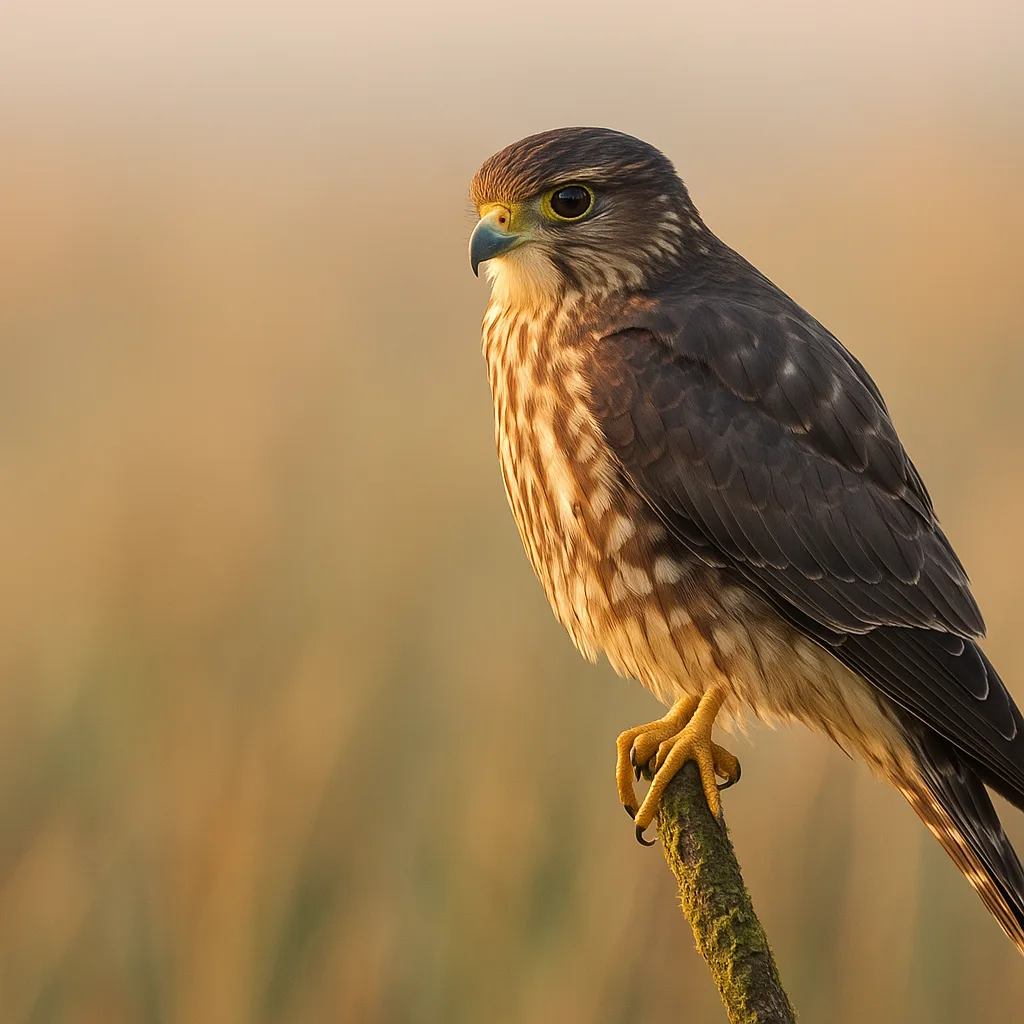
What the merlin bird app is and how it works
Merlin (often called "merlin bird id" or "Merlin Bird ID by Cornell Lab") is a free mobile application focused exclusively on bird identification. It uses machine learning models trained on large image and sound libraries to return likely identifications from a submitted photo or audio clip. Key capabilities include:
- Photo ID: upload or snap a photo and Merlin returns ranked candidate species.
- Sound ID (Song ID): record bird vocalizations and get likely species matches.
- Live camera and photo batch identification on some devices.
- Bird Packs: downloadable species packages for offline identification in a region.
Under the hood, Merlin's image models are trained on millions of user-contributed and museum-sourced photos and paired with curated species distribution data (range maps) and seasonal occurrence to rank plausible species for a time and place. The app currently supports thousands of species worldwide, with region-specific packs that focus the model on the birds you are most likely to encounter.
Key features and practical usage
When someone searches for "merlin bird identification" they typically want to know: how to get accurate IDs, what the app can and cannot do, and whether the app works offline. Here's a concise breakdown of Merlin's most useful features and how to use them effectively:
- Photo ID — Upload a clear photo; include multiple angles if possible.
- Sound ID — Record 10–30 seconds of song or call in quiet conditions.
- Bird Packs — Download regional packs (North America, Europe, etc.) for offline use.
- Field Guide & Range Maps — Access species profiles with photos, songs, and seasonal ranges.
How to choose the right Bird Pack
- Open Merlin and select the country or region where you are birding.
- Download the appropriate Bird Pack to enable offline IDs and reduce false positives.
- Update packs seasonally if you travel between breeding and wintering ranges.
Field techniques to maximize Merlin accuracy
Merlin gives its best results when the input data is high quality. The following field techniques help both Merlin and human observers make confident identifications.
For more on this topic, see our guide on How to ID a Bird from a Photo.
- Photo composition — Fill at least half the frame with the bird. Aim for 2–3 megapixels on the subject (many smartphones meet this easily).
- Focus on key ID features — Capture bill shape, eye ring, primary wing feathers, tail shape, and plumage patterns.
- Multiple angles — If possible, photograph the bird from the front, side, and under the wing to reveal diagnostic marks.
- Scale indicators — Include a twig, leaf, or common species nearby to convey size. Knowing that an American Robin (Turdus migratorius) is about 25 cm long helps set expectations.
- Sound recording tips — Record 15–30 seconds of continuous song. Hold the phone within 5–10 m for best results and avoid wind noise.
Camera settings and composition
- Use exposure compensation to avoid clipped whites on bright plumage.
- Tap to focus on the bird's eye when possible — eye sharpness is crucial.
- Shoot burst mode for fast-moving species like swifts or warblers; then select the best frame for Merlin.
Identification fundamentals: visual cues you can use
Merlin's models rely on visual cues that human birders also use. Learning those cues improves how you interpret Merlin's suggestions and diagnose ambiguous cases.
- Size and silhouette — Compare to common reference species: House Sparrow ~14–16 cm, Black-capped Chickadee (Poecile atricapillus) ~12 cm, American Robin ~25 cm, Peregrine Falcon (Falco peregrinus) 34–58 cm.
- Bill shape and length — Hummingbirds have long, narrow bills; finches have conical seed-crushing bills; flycatchers have broader-based bills with bristles.
- Primary projection and wing shape — Look for long, pointed wings in swifts and falcons; rounded wings in thrushes.
- Tail features — Forked tails (e.g., Barn Swallow) vs. notched or square tails can separate look-alikes.
- Plumage patterning — Eye rings, supercilia (eyebrows), wingbars, streaking, and scapular patterns are often diagnostic.
Examples: how Merlin helps with common confusions
- Yellow-rumped Warbler (Setophaga coronata) vs. Palm Warbler — Look for the bright yellow rump patch and contrasting cheek pattern in Yellow-rumped, whereas Palm Warbler often shows constant tail-bobbing and buffy undertail coverts.
- Dark-eyed Junco (Junco hyemalis) morphs — Note bill color, overall darkness, and belly contrast. Slate-colored juncos are uniform slate with a pink bill; Oregon forms show more brown and variable head patterns.
- House Sparrow (Passer domesticus) vs. Eurasian Tree Sparrow (Passer montanus) — House Sparrow males have a gray crown and black bib; Tree Sparrows have a rich chestnut crown and a black cheek spot.
Merlin vs other identification tools (and Orvik)
People searching for "merlin app birds" often want a comparison: should they use Merlin, iNaturalist, Audubon, or a newer AI app like Orvik? Each has strengths.
- Merlin Bird ID — Specializes in birds; fast photo and sound ID; curated Bird Packs and range-season filtering. Excellent for quick field IDs and beginners.
- iNaturalist — Broad taxonomic scope; community verification and research-grade observations; best when you want community confirmation or to document unusual records.
- Audubon — Strong field-guide content, conservation notes, and day lists; good for in-depth species accounts and maps.
- Orvik — An AI-powered visual identification app that complements Merlin by using object detection models that can identify birds, plants, and other objects in an image. Orvik is useful when you want multi-taxon identification in a single shot or an alternate AI perspective on a difficult photo.
How to choose
- If you want a bird-specific, fast answer in the field: start with Merlin.
- If you need community verification or to record a potential vagrant: upload to iNaturalist or eBird after initial ID.
- If you're working across taxa (plant plus bird) or want a second AI assessment: try Orvik alongside Merlin.
Accuracy, limitations, and best practices for verification
No automated system is perfect. Merlin's accuracy is high for clear, adult birds photographed in standard poses and within the downloaded Bird Pack region, but it can struggle with:
You may also find our article on Quick Bird ID: How to Identify Any Bird helpful.
- Juvenile and molt plumages where patterns change rapidly.
- Obscured or distant birds occupying less than 10% of the frame.
- Species outside the geographic or seasonal range in the downloaded pack.
- Non-standard lighting (deep shadow or strong backlight) that hides key features.
Best practices to improve reliability:
- Use Merlin as a first pass. If the app suggests multiple species, compare the candidate species' field marks in the app's species pages.
- Cross-check with range maps and seasonal occurrence. If the suggested species is improbable for your location and date, treat the ID with caution.
- For records of rare species, retain original photos and audio and submit them to regional bird records committees or to eBird with supporting media.
Ethics, safety, and handling cautions
Identifying birds should never endanger the bird or you. Merlin and other apps encourage documentation, but the following safety and ethical guidelines are essential.
Looking beyond this category? Check out Goji Berries: A Field Guide to the Red Superfruit.
- Do not handle or chase birds — Avoid pursuing birds for photos. Many species expend critical energy during migration; unnecessary disturbance can be harmful.
- Disturbance near nests — Maintain distance. Nest abandonment and predation risk increase when people repeatedly approach nests.
- Disease transmission — Avoid touching birds or nestlings. Human hands can transmit pathogens (including Salmonella or avian influenza). Use gloves if handling is unavoidable and disinfect afterward.
- Lead and toxin exposure — Do not feed wildlife with lead-tipped gear; shorebirds and raptors can suffer lead poisoning from ingesting shot or contaminated prey.
Legal note: Many bird species are protected under laws such as the Migratory Bird Treaty Act (U.S.) and equivalents abroad. Always follow local wildlife regulations.
Related reading: Mastering Owl Calls: A Field Guide to Sound ID.
Advanced tips: sound ID, rare records, and integration
Merlin's Song ID is powerful when used properly. Here are advanced techniques to get the most from audio and to integrate Merlin into a rigorous observation workflow.
- Recording technique — Use a windscreen and record from 5–20 m depending on species volume; aim for 20–30 second samples of uninterrupted song.
- Quiet background — Pause traffic or wait for quiet windows; noise reduction algorithms perform better with cleaner inputs.
- Multiple samples — Record several takes at different angles or positions to capture the full repertoire.
- Document rare species — Keep original, unedited files and detailed observational notes: time, exact location (GPS), behavior, and habitat.
- Integration with eBird — Use Merlin to identify birds, then submit confirmed records to eBird with photos/audio for scientific value and personal tracking.
Case study: confirming a vagrant
If Merlin suggests a rare vagrant (for example, an Eurasian wryneck in North America), the recommended workflow is:
- Verify multiple photos from different angles or a clear audio file.
- Compare Merlin's candidates to field-guide images and range/season maps in the app.
- Upload to eBird and iNaturalist with full media and notes, and notify local bird records committees if required.
Conclusion
The merlin bird app is an accessible, powerful tool for bird identification that leverages machine learning to give fast photo and sound-based suggestions. It works best when paired with good field technique — focused photos, clean audio, and an awareness of range and seasonality. For multi-taxon needs or an alternate AI look at an image, Orvik can be a useful complement; iNaturalist and Audubon provide community verification and deeper guide content respectively. Use Merlin as a first-pass identifier, follow ethical birding practices, and verify rare records with multiple lines of evidence. With practice, Merlin becomes a reliable field partner that accelerates learning and deepens your connection to birds in any habitat.
Frequently Asked Questions
- What is the merlin bird app?
- Merlin is a free mobile app from the Cornell Lab that identifies birds from photos and recordings, using machine learning and regional Bird Packs for offline use.
- How do I get the best photo for Merlin?
- Fill the frame with the bird, focus on the eye, capture key features (bill, wingbars, tail), use burst mode for movement, and take multiple angles if possible.
- Can Merlin identify bird songs accurately?
- Yes, Merlin's Song ID works well with clear 10–30 second recordings captured within 5–20 m and with minimal background noise.
- Is Merlin better than iNaturalist or Audubon?
- Merlin specializes in fast, bird-specific automated IDs. iNaturalist offers community verification across taxa, while Audubon provides in-depth field-guide resources. Use them together for best results.
- Should I handle birds to get better photos?
- No. Handling wild birds risks stress, injury, and disease transmission and may be illegal. Use long lenses and patient observation instead.
- Does Merlin work offline?
- Yes. Download regional Bird Packs inside the app to enable offline photo and sound identification.
- How should I document a rare bird found with Merlin?
- Save unedited photos and audio, note exact location and behavior, and submit the observation with media to eBird or local records committees for verification.