
Searching for ways to scan coins usually means one thing: you want fast, reliable identification and an idea of value. Whether you found a worn silver dollar in a drawer, dug up a Roman coin at a dig, or are cataloging a dealer lot, modern tools — including AI-powered apps like Orvik — make the process far faster. This guide covers everything from photo technique to understanding metal content, grading clues, and which apps (free and paid) do the best job.
1. How modern coin scanning works
AI coin identification merges computer vision with numismatic databases. A good scanner recognizes:
- Obverse and reverse designs (portrait, shield, wreath)
- Legend and mintmarks (letters and numbers)
- Edge types (reeded, plain, lettered)
- Dimensions and proportions from images and scale references
Key technologies involved
- Convolutional Neural Networks (CNNs) — analyze shapes and patterns
- Optical Character Recognition (OCR) — reads dates and legend text
- Reverse-image search — matches unknown pieces to catalog images (used by coinoscope-style apps)
- Metadata matching — cross-references mint, date ranges, and metal composition
Orvik and similar tools combine those elements to propose IDs and likely values. But AI has limits: worn surfaces, heavy corrosion, and non-standard patinas can mislead models. Always verify the suggestion against a catalog or expert when value is critical.
2. Preparing to scan: photography and sample capture
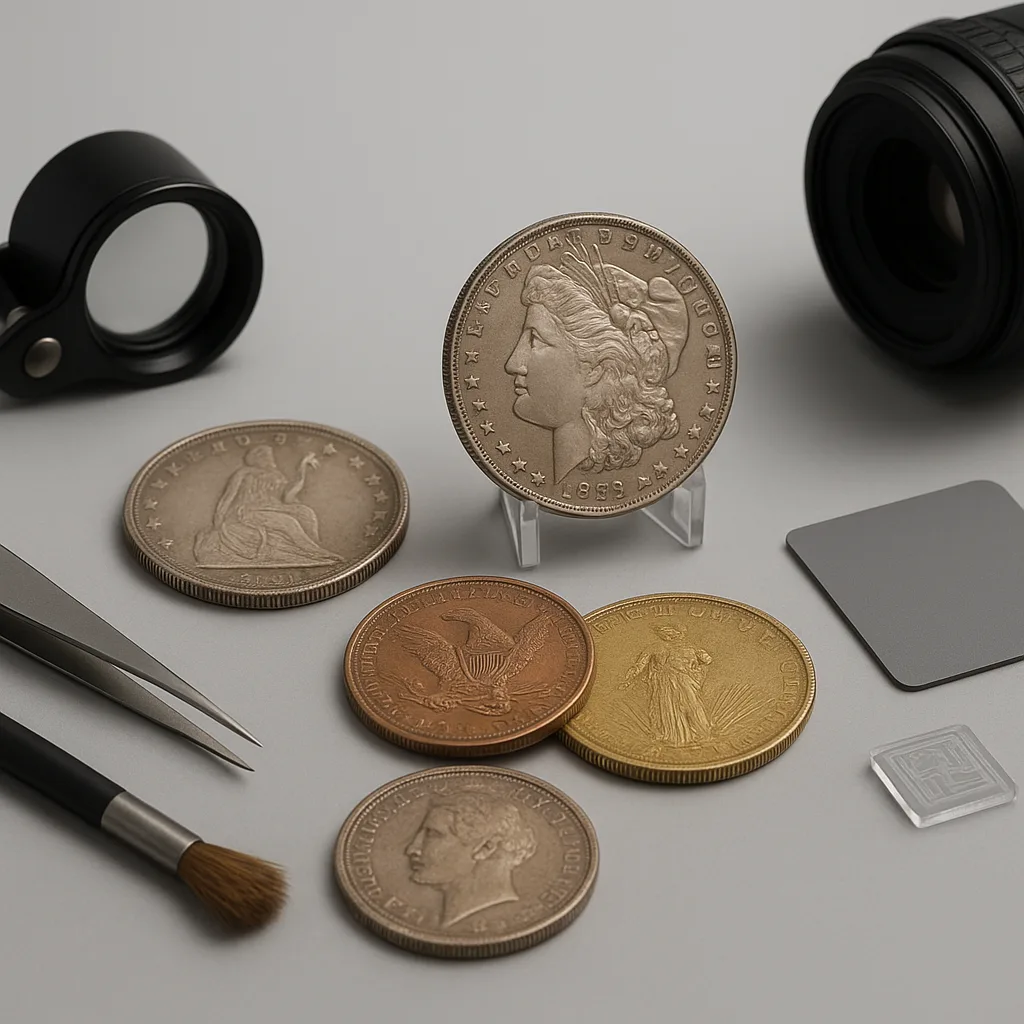
Quality of the photo is the single biggest factor in successful identification. A bad image yields garbage results; a great one can identify a worn coin to the mint and variety.
For more on this topic, see our guide on Identify Coins Fast: An Expert AI Guide.
- Use a plain, non-reflective background (matte black, gray, or white)
- Place a small ruler or metric scale (mm) beside the coin for size reference
- Take photos of both obverse and reverse; include the edge if lettered or reeded
- Use diffuse lighting; avoid direct flash and strong reflections
- Fill the frame but keep the entire coin in focus; use macro mode if available
Practical camera settings
- Use highest resolution available on phone (12+ MP recommended)
- Turn on grid and keep the coin centered; shoot perpendicular to the plane of the coin
- Use a tripod or steady hand to avoid motion blur; shutter speeds faster than 1/60s help
- If possible, capture at least three angles: straight-on obverse, straight-on reverse, and edge
3. Visual identification: what to look for
When you scan coins, AI looks for patterns, but human observation verifies them. Learn the visual cues that matter.
- Color and tone — silver (white, bright, or gray), copper (reddish-brown), bronze (brown/green patina), gold (yellow to rose)
- Size and mass — diameter and weight are diagnostic (e.g., U.S. quarter: 24.26 mm, 5.670 g)
- Portraits and motifs — rulers, national symbols, coats of arms
- Lettering style — serif vs sans serif, language and script (Latin, Cyrillic, Arabic)
- Edge — reeded, plain, lettered, or decorated
Measurements and exact cues
- U.S. coins (useful reference): dime 17.91 mm (2.268 g), penny 19.05 mm (2.5 g after 1982), nickel 21.21 mm (5.0 g), quarter 24.26 mm (5.67 g), Morgan dollar 38.10 mm (26.73 g)
- European common sizes: 1 euro 23.25 mm (7.5 g), 2 euro 25.75 mm (8.5 g); these are often recognizable by bi-metal color
- Toning patterns: silver toning often shows blue/purple/orange rings; copper displays red-brown or green verdigris
When scanning, make sure the app sees a readable date and any mintmark (small letters usually near the portrait). Mintmarks often change value dramatically.
You may also find our article on Mastering Coin Identification: A Field Guide helpful.
4. Identifying and estimating value
People searching “coin value scanner” or “coin scanner for value” usually expect an instant appraisal. AI can give quick market-range estimates, but true value depends on grade, rarity, and demand.
- Basic value indicators: metal content (silver/gold), date/mint, rarity, condition (grade)
- Grades: Good (G), Fine (F), Very Fine (VF), Extremely Fine (EF/XF), About Uncirculated (AU), Mint State (MS-60 to MS-70)
- Market checks: consult recent auction results, dealer price lists, and price guides (e.g., NGC, PCGS, Numismatic Guaranty)
Using apps and databases
- Free coin scanner apps (including many reverse-image search tools) can give instant IDs and rough values; examples include coinoscope-style tools and some freemium apps
- Paid services add verified price histories, professional grade estimates, and marketplace links
- Orvik integrates image ID with reference data to suggest probable mint, year, and common value bands — useful for quick triage
Important: AI and free tools often provide mid-market estimates. For high-value coins (say, anything likely > $500–$1,000), obtain a human expert opinion or a third-party certification to confirm grade and authenticity.
Looking beyond this category? Check out Mastering Visual ID: Your Photo Identifier Guide.
5. App comparisons: free vs paid and coinoscope-style tools
Which app should you use to scan coins? The market divides into three broad types: free reverse-image apps, dedicated numismatic apps, and paid/professional services.
Related reading: Finding Hidden Treasure: Identify Valuable Stamps.
- Free coin scanner / free coin scanner app / coin scanner app free: low barrier to entry, good for casual ID, often ad-supported, limited price accuracy
- Coinoscope (coinoscope app): a popular reverse-image app that matches photos to web images; excellent for quick visual matching but may misidentify worn or foreign-language legends
- Paid/pro apps: subscription or per-search fees, access to large price histories, market trends, and higher accuracy; better for dealers and serious collectors
X vs Y: How to tell them apart
- Free vs paid: Free = good for discovery; Paid = deeper data, fewer false positives, higher resolution matching
- Reverse-image vs database-driven: Reverse-image (Coinoscope) can find visually similar coins; database-driven apps (Orvik and some paid services) combine OCR with metadata for exact matches
- App vs grading service: Apps give quick value ranges; grading services (PCGS/NGC) provide certified grade/value and are required for auction-level pricing
6. Common pitfalls, safety, and conservation
Scanning and handling coins safely protects your health and preserves value. Mistakes here are costly.
- Cleaning destroys value: Abrasives, vinegar, and acids remove surface detail and toning; never aggressively clean valuable coins
- Metal hazards: Old or corroded coins can contain lead, arsenic, or other contaminants. Wear gloves if metal dust is present and wash hands afterward
- False positives: AI can misidentify counterfeit or altered coins; use weight and caliper measurements to check composition
Practical conservation tips
- If a coin is dirty, soak in distilled water for 24–48 hours; pat dry with a soft cloth. If crusts remain, consult a conservator.
- Do not use chemical dips on valuable coins; these change surface chemistry and are traceable under microscopy.
- Store coins in inert holders (Mylar flips, acid-free envelopes, or certified slabs) away from humidity and sulfur-containing materials.
7. Practical workflows for collectors, metal-detectorists, and dealers
A good workflow means faster triage, better cataloging, and higher resale value. Here are workflows tailored by user type.
Casual collector
- Take clean photos of both sides using the tips above
- Run a free coin scanner app (or Orvik) for a preliminary ID
- Consult a printed or online price guide and add to your collection inventory
Metal-detecting hobbyist
- Field triage: rough ID by eye, pick coins for cleaning only if stable
- Back home: photograph, scan with Orvik or coinoscope-style app, weigh using a 0.01 g digital scale
- Flag any suspected silver or gold for professional appraisal
Dealer / professional
- Batch-photograph lots using a lightbox and fixed camera setup
- Automate scanning with a paid app or API to populate inventory fields (country, date, mint, grade estimation)
- Verify any high-value candidates via third-party grading before sale
Frequently Asked Questions
- Can a phone app accurately identify any coin?
- Most modern apps can identify many coins if images are clear and legends legible. Worn, corroded, or very rare varieties may require expert verification.
- Are there truly free coin scanner apps?
- Yes. Several free coin scanner and reverse-image apps offer basic identification. They typically have ads and limited valuation data compared with paid services.
- How do I use a coin scanner for value?
- Scan to identify the coin, then check recent auction results, dealer price lists, and price guides. AI provides value ranges but verify for high-value items.
- Should I clean coins before scanning?
- No. Cleaning can remove surface details and reduce both app accuracy and a coin's market value. Photograph coins as found and seek conservation advice if needed.
- What if the app says the coin is worth a lot?
- Get a second opinion using weight, caliper checks, and professional grading. Counterfeits and altered coins can fool AI or reverse-image matches.
- How does Orvik help when I scan coins?
- Orvik combines AI visual ID with numismatic reference data to suggest likely mint, year, and value bands, making it useful for quick triage and cataloging.
- What camera techniques improve scanning success?
- Use diffuse lighting, a plain matte background, a scale for size reference, shoot both sides and the edge, and avoid reflections or blur.