
When someone types "food calorie scanner" into a search bar they usually want one of three things: a fast way to capture calories, a reliable estimate they can trust, or an app that recognizes both packaged and fresh foods. This guide explains how modern calorie-scanning tools work, how accurate they are, and how to get the best results from barcode and photo-based scanners — including practical visual tips and safety warnings. Orvik, an AI-powered visual identification app, is referenced throughout as an example of how image recognition and barcode lookup can work together to make calorie tracking faster and more intuitive.
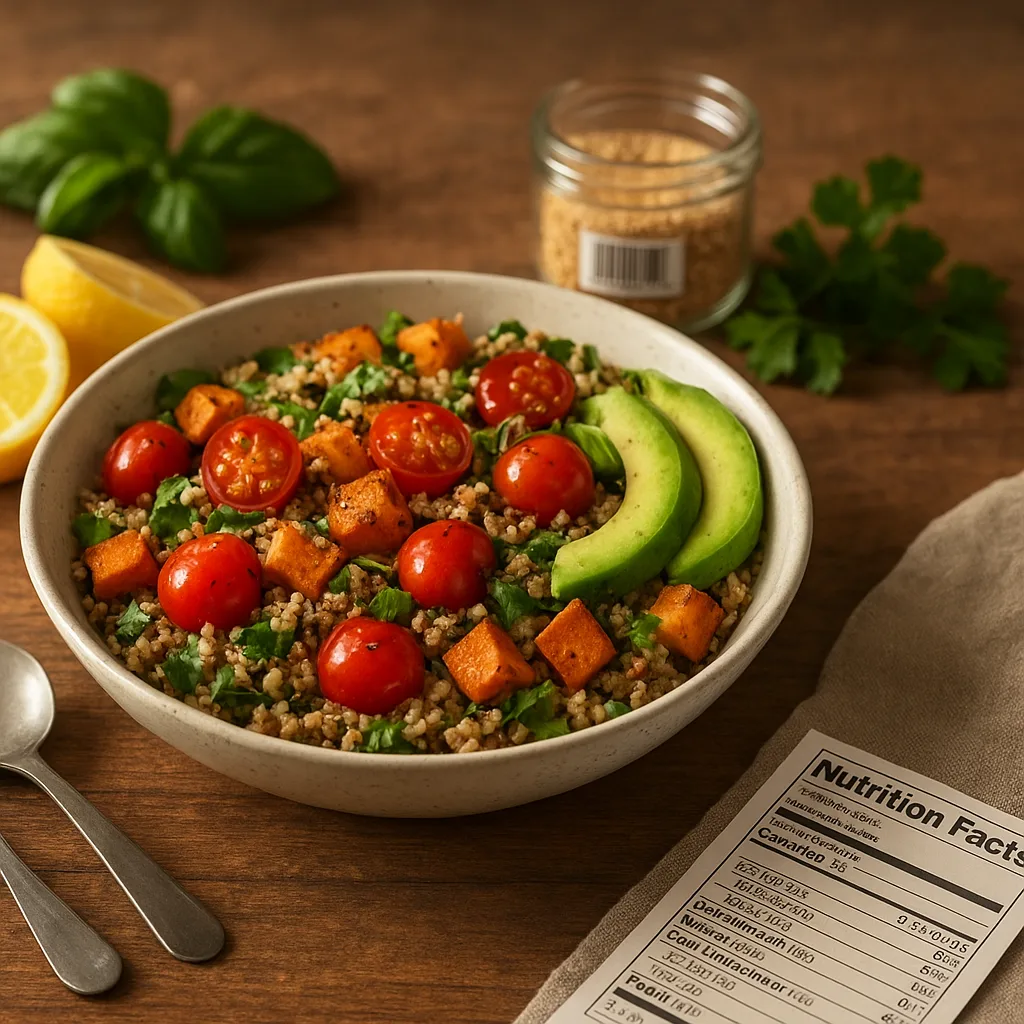
1. What people really mean by “food calorie scanner”
Search intent matters. People asking for a "food calorie scanner" are typically trying to:
- Quickly log food intake with minimal typing
- Scan packaged goods via barcode for exact nutrition facts
- Use a photo to estimate calories for fresh produce, home-cooked meals, or restaurants
- Find a free or low-cost solution with decent accuracy
- Understand limitations, privacy, and reliability
Meeting those needs requires understanding three core technologies: barcode lookup, image recognition, and portion-size estimation. Each has strengths and constraints.
2. How food calorie scanners work
Barcode scanning: the straightforward path
Barcodes (UPC, EAN) link to product entries in food composition databases. When you scan a barcode the app retrieves the manufacturer's nutrition panel: calories, grams of fat, carbs, protein, fiber, sodium, and often ingredient lists. For packaged goods, this is the most accurate method.
- Coverage: large databases typically cover 90–99% of supermarket items in developed markets.
- Granularity: calories are given per serving and per 100 g where available.
- Limitations: regional product variations and mislabeled barcodes can cause errors.
Image recognition: AI estimates from photos
Image-based calorie scanners use convolutional neural networks (CNNs) and transformer models trained on thousands or millions of labeled food images. These systems identify the food type and suggest a typical calorie value per standard serving.
- Identification accuracy varies by food: many apps reach 70–95% for distinct items like bananas or pizza slices, lower (50–75%) for mixed dishes.
- They rely on additional steps to estimate portion size — plate area, reference objects, or depth sensors.
- Best for produce, simple meals, and snapshots when no barcode exists.
Portion sizing and calorie estimation
Estimating calories requires converting a visual estimate into grams or servings. Methods include:
- Reference-object scaling: include a known object (coin, fork) to calculate size.
- Standard-portion heuristics: e.g., one medium apple ≈ 182 g ≈ 95 kcal; one cup cooked rice ≈ 158 g ≈ 205 kcal.
- Depth sensors or dual-camera triangulation on newer phones for volumetric estimation.
Combining identification with portion sizing turns a visual cue into a calorie estimate. Orvik uses AI visual identification to speed food recognition and supplements barcode lookups when available.
For more on this topic, see our guide on Inside the Acai Berry: Nature’s Amazonian Purple Fruit.
3. Accuracy: what to expect and how to improve it
No scanner is perfect. Expect different levels of accuracy depending on method and food type. Understanding typical error ranges helps you decide when to trust a scan and when to manually adjust.
- Packaged foods (barcode): ±1–5% for calories if the correct product and serving size are chosen.
- Single-item produce (apple, banana, avocado): ±5–20% if portion size is estimated correctly.
- Mixed dishes and restaurant meals: ±20–50% or more — sauces, oils, and cooking methods introduce large variability.
- Homemade recipes: accuracy improves if you input ingredients and weights rather than relying solely on photos.
Ways to improve accuracy:
- Prefer barcode lookup for packaged goods.
- Include a reference object in photos (coin = 24 mm diameter, credit card = 85.6 × 53.98 mm).
- Weigh portions when precision matters: a kitchen scale accurate to ±1 g is best.
- Use apps that allow quick edits to portion size and ingredients.
4. Practical visual identification tips for common foods
Think like a field naturalist looking at food: color, shape, texture, and context reveal identity and can refine calorie estimates. Below are practical cues for common foods, plus seasonal and geographic notes where relevant.
Fruits
- Apple (Malus domestica): round, 6–9 cm diameter, smooth glossy skin; yellow-green to deep red. Medium apple ≈ 182 g ≈ 95 kcal. Harvest season varies by cultivar — most temperate varieties peak Sept–Oct.
- Banana (Musa spp.): elongated crescent shape, 15–20 cm long, yellow when ripe; green = unripe (higher resistant starch). Medium banana ≈ 118 g ≈ 105 kcal.
- Avocado (Persea americana): rough-textured skin (Hass varieties darken to purplish-black), pear-shaped, typically 200–300 g edible flesh; one medium avocado ≈ 234 g flesh ≈ 372 kcal, high in monounsaturated fat.
Vegetables
- Tomato (Solanum lycopersicum): smooth, glossy, 3–10 cm diameter; color ranges from green to red. One medium tomato ≈ 123 g ≈ 22 kcal.
- Mushrooms (Agaricus bisporus and others): cap-and-stem silhouette, gills under cap; white button vs brown cremini differ in color and flavor. Wild mushrooms require expert identification — many lookalikes are toxic.
Grains, bread, and cereal
- Slice of white sandwich bread: rectangular, ~25 g per slice ≈ 66–80 kcal. Crust color, air holes, and density reveal whole grain content.
- Cup of cooked rice (Oryza sativa): 158 g ≈ 205 kcal. Grain length (short vs long) affects texture and perceived density.
Prepared foods and mixed dishes
- Pizza slice: crust thickness, visible oil, cheese coverage, and toppings strongly determine calories. Thin-crust Margherita ≈ 200–300 kcal per slice; meat-laden or deep-dish can exceed 400–700 kcal.
- Stir-fry: glossy sheen suggests oil content — more sheen usually equals higher calories. Estimate by recognizing protein type and portion volume.
Visual cues also guide safety: discolored or slimy textures in cooked proteins can indicate spoilage; fuzzy mold on bread or fruit should never be consumed unless the product is hard cheese where trimming may be acceptable under food-safety guidance.
You may also find our article on Wild & Garden Berries: How to Identify Them helpful.
5. Barcode vs Photo: How to choose
Choosing the right tool depends on the situation.
Barcode scanning — when to use
- Packaged and pre-labeled foods at home or in the supermarket.
- When you need exact nutrition facts for calories, sodium, added sugars, or fiber.
- When following a medical diet that requires strict tracking (e.g., sodium or carbohydrate counting).
Photo-based scanning — when to use
- Fresh produce, fruit, or homemade meals without barcodes.
- On-the-go situations where weighing is impractical.
- When tracking is primarily for general trends rather than clinical precision.
X vs Y: How to tell them apart
- Accuracy: barcode > photo for packaged goods.
- Convenience: photo > barcode when packaging is missing or when you want a quick estimate.
- Coverage: barcode databases excel for store items; image models need extensive datasets to distinguish regional dishes.
Hybrid apps like Orvik combine both approaches: they use barcode lookup when available and fall back to AI visual identification for produce and meals, giving users the benefits of both methods.
6. Free calorie scanner apps and what to expect
Many free apps include barcode scanning; some add photo recognition features in free or freemium tiers. When evaluating a free calorie scanner app, consider:
- Database size and regional coverage
- Ability to adjust portions and edit entries
- Support for recipes and restaurant plates
- Privacy policy and data-sharing
Popular free options often cited include MyFitnessPal (large barcode library, freemium), Cronometer (detailed nutrient data, basic free tier), and Google Lens for basic food recognition. Orvik distinguishes itself with AI-powered visual identification tailored for food and a hybrid workflow: quick barcode lookup plus visual recognition when no barcode exists, helping users scan food for calories in natural settings like markets, picnics, or restaurants.
You might also be interested in Photo-Based Plant ID: Field-Proven Techniques.
Checklist: What a good free calorie scanner app provides
- Reliable barcode scanning and editable product matches
- Photo-based recognition with portion-size guidance
- Common serving size references (cups, grams, slices) and the ability to enter custom weights
- Export or sync options for long-term tracking
- Clear privacy and data-retention policies
7. Privacy, safety, and practical tips for accurate scans
Privacy and food safety are often overlooked when people focus on convenience. Here are concrete guidelines.
Related reading: Goji Berries: A Field Guide to the Red Superfruit.
Privacy and data security
- Check whether the app stores photos and whether they are used to improve AI models. Some apps anonymize images or ask permission to use them for training.
- Look for local processing options (on-device inference) if you prefer not to upload photos.
- Review the app's data-sharing policy — is data sold to advertisers or shared with third parties?
Safety and allergy warnings
- App estimates do not replace reading ingredient lists for allergy management — always verify allergens from the package or restaurant staff.
- Never rely on an app to identify wild foraged foods. Many edible and poisonous species look similar; misidentification can be life-threatening.
- Be cautious with powdered supplements and unlabeled restaurant sauces — caloric density can be surprisingly high.
Practical scanning tips
- Use natural light and avoid harsh reflections on glossy packaging.
- Place a common object in the frame for scale (coin, fork, credit card).
- Scan barcodes at a 6–12 inch (15–30 cm) distance; steady your hand and let autofocus settle.
- For mixed dishes, break the plate into components (protein, grain, sauce) and scan each separately when possible.
Orvik's visual workflow includes guidance prompts to help users take better photos and confirm portion sizes, which reduces typical estimation errors.
8. Choosing and using a food calorie scanner wisely
Pick the tool that fits your goals. If clinical precision is required (diabetes carb counting, hospital dietary planning), rely on weighed portions and verified nutrition panels. If your goal is general weight management or trend-tracking, a hybrid approach using barcode scans when available and photo estimates for fresh foods balances convenience and accuracy.
- For strict tracking: weigh food, use barcode data, and verify recipes via ingredient weights.
- For everyday tracking: use a hybrid app like Orvik for fast logging, with occasional weighing to calibrate your estimates.
- For learning and awareness: use image scanning to learn portions and gradually adopt better estimation habits.
Adopt a small habit: weigh a few common portions (your favorite cereal bowl, slice of bread, chicken breast) once a week. This creates a personal library of accurate portion sizes that improve app estimates over time.
Conclusion
Food calorie scanners are practical tools when you understand their strengths and limits. Barcode scanning gives the most accurate data for packaged foods; image-based AI helps when no barcode exists. Use reference objects, weigh food when needed, and choose apps with transparent privacy practices. Orvik illustrates the hybrid approach well: combining barcode lookup and AI visual identification makes scanning quick, flexible, and often accurate enough for daily tracking. With the right expectations and a few simple habits, a food calorie scanner becomes a reliable companion for healthier eating and smarter choices.
Frequently Asked Questions
- How accurate is a food calorie scanner?
- Accuracy depends on method: barcode scans for packaged foods are typically within ±1–5% if the correct product and serving size are selected. Photo-based estimates vary by food type — often ±5–20% for single items and wider for mixed dishes or restaurant meals.
- Are there free calorie scanner apps with barcode scanning?
- Yes. Many free apps provide barcode scanning (for example, MyFitnessPal and Cronometer offer basic free tiers). Free apps differ in database size, editing flexibility, and whether they offer photo-based recognition.
- Can a photo-only app reliably scan food for calories?
- Photo-only apps can give good estimates for simple, single-component foods but struggle with mixed dishes, hidden oils, and dressings. Including a reference object and confirming portion sizes improves reliability.
- Is it safe to rely on AI apps to identify wild or foraged foods?
- No. Never rely on an app to identify wild mushrooms, plants, or other foraged foods. Many edible and poisonous species are visually similar; expert human identification is essential.
- How can I improve portion-size estimates with a scanner?
- Use a small kitchen scale for precision, include a reference object (coin, fork, credit card) in photos, and create a personal library of weighed portions to calibrate the app over time.
- Does Orvik store my food photos?
- Orvik's privacy practices vary by configuration; check the app's privacy policy. Some apps process images on-device, while others may upload anonymized photos to improve models with user consent.
- Which is better: barcode or photo scanning?
- For packaged items, barcode scanning is better for accuracy. For fresh produce or homemade meals, photo scanning provides convenience and useful estimates. A hybrid approach using both works best.
- Can calorie scanners estimate macronutrients too?
- Yes. Barcode lookups typically return full nutrition panels (carbs, fat, protein, fiber). Photo-based estimates may include macronutrient guesses but are less precise unless paired with ingredient-level input or recipe parsing.