
Why use an app to identify spiders?
People searching for an app that identifies spiders usually want three things: fast answers, reliable identification, and advice about safety. Field guides are invaluable, but apps pair photographic evidence with machine learning to deliver near-instant suggestions based on pattern recognition, size estimates, and location data. For amateur naturalists, pest-control workers, and parents, a spider recognition app can remove guesswork and reduce anxiety.
Benefits of digital identification
- Speed: results in seconds rather than hours or days.
- Data-backed: many apps use large image databases and AI models trained on tens of thousands of photos.
- Contextual help: suggestions about habitat, seasonality, and toxicity risk.
- Record-keeping: save sightings with GPS coordinates for later reference or to contribute to biodiversity datasets.
How spider ID apps work (the science behind recognition)
Modern spider identification apps combine several technical layers to reach a suggestion:
- Image preprocessing – edge detection and color normalization to handle shadows, blur, and scale.
- Feature extraction – the model identifies key visual cues: eye pattern, abdomen shape, leg banding, and setae (hair) texture.
- Machine learning classification – convolutional neural networks (CNNs) compare extracted features against labeled datasets.
- Context filters – GPS location, month, and habitat narrow down likely species; for example, Latrodectus mactans (American black widow) is more likely in southeastern U.S. than in boreal Canada.
Apps such as Orvik also integrate user feedback loops: when users confirm or correct an ID, that labeled data improves future performance.
Practical visual tips: how to photograph spiders for best results
AI is powerful, but the quality of the photo hugely affects accuracy. Here are practical, field-ready tips that improve any app's ability to identify a specimen.
For more on this topic, see our guide on Field Guide: Identify Spiders from Photos.
Photographing checklist
- Get level with the spider: shoot parallel to the surface when possible to capture the dorsal pattern.
- Include a scale: a coin (approx. 18–25 mm) or ruler in the frame helps estimate size—size is a key trait (e.g., wolf spiders 10–35 mm body length; tarantulas 20–90 mm).
- Take multiple angles: dorsal (top), lateral (side), and close-up of the eyes or spinnerets if visible.
- Steady lighting: diffuse daylight is best—avoid harsh shadows or bright backlight that wash out patterns.
- Respect safety: do not handle unfamiliar spiders; photograph from a safe distance or with a 2x optical zoom.
Visual cues to prioritize
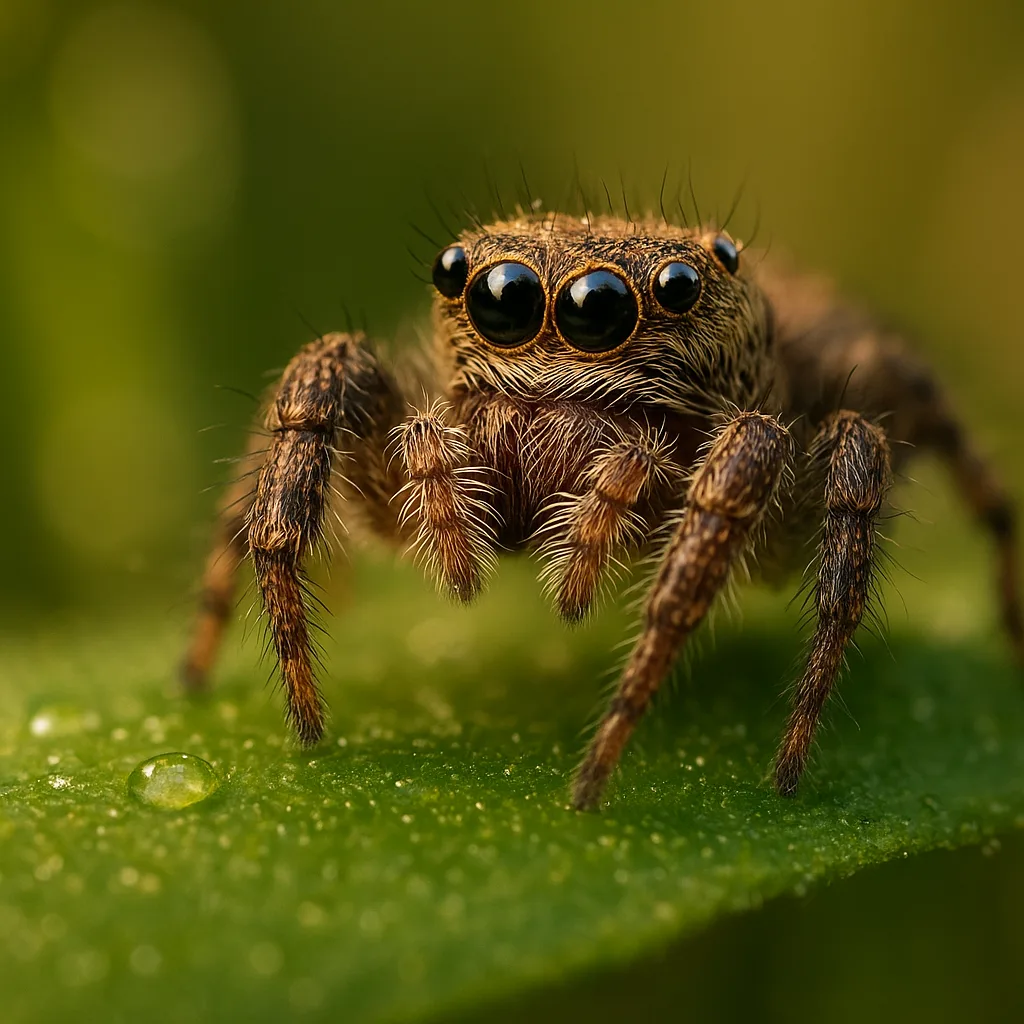
- Eye arrangement – distinctive in many families: for example, jumping spiders (Salticidae) have four large anterior eyes.
- Abdomen patterning – cross-shaped white markings on Araneus diadematus (cross orb-weaver), hourglass on Latrodectus spp.
- Leg morphology – thick, hairy legs of Lycosidae (wolf spiders) vs. long, spindly legs of Pholcidae (daddy long-legs).
- Carapace shape and color – brown recluse (Loxosceles reclusa) often shows a violin-shaped marking on the cephalothorax.
Top species and lookalikes: what people usually mean
Most searches for a spider id app are motivated by concern about venomous species or curiosity about common backyard spiders. Below are species frequently encountered and how to recognize them.
1. American black widow (Latrodectus mactans)
- Size: 6–13 mm body (females), legs extend to ~25 mm.
- Visual cues: shiny jet-black body, red hourglass on ventral abdomen (sometimes broken or partial), round abdomen.
- Habitat: dark, sheltered spaces: woodpiles, crawl spaces, cluttered garages; common in southern and central U.S.
- Season: active and visible late spring through early autumn.
2. Brown recluse (Loxosceles reclusa)
- Size: 6–20 mm body length.
- Visual cues: light to medium brown, often a darker violin mark on the carapace, six eyes arranged in three pairs (a key diagnostic trait).
- Habitat: buildings, basements, closets; prefers dry, undisturbed locations.
- Distribution: central and southern U.S.; many reported sightings outside this range are misidentifications.
3. Wolf spiders (Family Lycosidae)
- Size: body length 10–35 mm depending on species.
- Visual cues: robust, hairy bodies, long legs, distinctive eye pattern with four small posterior eyes and four large anterior eyes; no webs—active hunters.
- Habitat: ground-dwelling in leaf litter, meadows, and garden beds worldwide.
4. Orb-weavers (Family Araneidae)
- Size: body 5–30 mm; many species like Araneus diadematus have a bulbous abdomen with high-contrast patterns.
- Visual cues: often brightly patterned abdomens, distinguishable round webs with radiating spokes and sticky spiral.
- Season: most conspicuous in late summer and autumn when webs are largest.
App comparison: Orvik vs other spider ID tools
People often search for "spider id app" or "free spider identification app" expecting a quick, trustworthy answer. Here's how apps typically compare on accuracy, cost, and features. Orvik is mentioned as a modern, AI-driven tool with specific strengths.
You may also find our article on Identify That Spider: A Practical Field Guide helpful.
Key comparison dimensions
- Accuracy – depends on training data; apps that incorporate expert-verified images (e.g., Orvik, iNaturalist) perform better on rare species.
- Cost – free apps (Google Lens, iNaturalist) vs. freemium/paid (some advanced features in Orvik may be paid, though core ID is available free in many cases).
- Community & verification – iNaturalist benefits from human expert confirmation; Orvik blends AI with feedback to improve results.
- Regional coverage – apps trained on local datasets give more accurate IDs for region-specific species like Loxosceles reclusa (central U.S.) or Latrodectus hasseltii (Australia).
Orvik vs iNaturalist vs Google Lens
- Orvik: AI-first approach with rapid visual matching and contextual filters (season, habitat). Good for fast field IDs and saving observations; integrates corrections from users to refine models.
- iNaturalist: strong community verification; often more accurate for rare species when experts confirm IDs, but answers may take longer.
- Google Lens: very fast and convenient, but sometimes offers broad or imprecise suggestions because it is generalized for many object types, not specialized for arachnology.
For many users, a practical workflow is: use an app like Orvik for a quick AI-assisted ID, then confirm uncertain or medically concerning cases with iNaturalist or an arachnologist.
How to interpret app results and avoid misidentifications
Even the best spider recognition app can produce false positives. Here are steps to interpret results intelligently and reduce risk.
You might also be interested in AI Field Guide: Identify Birds Fast.
Verification checklist
- Look at the confidence score: many apps provide a percentage; treat low-confidence (<70%) suggestions cautiously.
- Cross-check visual cues listed by the app—eye arrangement, abdomen markings, leg spination.
- Check geographic plausibility: if the app suggests Loxosceles reclusa but you live in New England, question the result.
- Use community verification: upload the photo to a platform with expert reviewers or share with a local extension service.
Safety, toxicity, and what to do if bitten
One of the main motives behind queries like "app for identifying spiders" or "spider id app" is to assess bite risk. Here's practical, evidence-based guidance.
Related reading: Ladybug Diets: A Field Guide to What They Eat.
Venomous species to know (and actual risk)
- Latrodectus spp. (widow spiders) – medically significant neurotoxic venom; bites can require medical treatment, especially for children, elderly, or infirm individuals. Identify by shiny black body and red hourglass.
- Loxosceles spp. (recluse spiders) – can cause necrotic lesions in a minority of cases; systemic reactions are rare. True brown recluses are limited to certain U.S. regions.
- Other species – most spiders have venom that subdues prey but poses minimal human risk (localized pain, swelling).
First aid for suspected spider bites
- Clean the wound with soap and water and apply a sterile dressing.
- Apply cold packs to reduce swelling and pain (20 minutes on, 20 minutes off).
- Monitor symptoms: spreading redness, systemic signs (fever, muscle pain, difficulty breathing), or worsening necrosis require urgent medical evaluation.
- Bring a clear photo of the spider to the emergency department, or use a spider identification app like Orvik to provide additional context—but do not delay care waiting for an app result.
How to get the most accurate IDs from any spider recognition app
Beyond good photos, there are workflow steps that maximize accuracy and usefulness of an app for identifying spiders.
Best practices for field use
- Capture multiple photos: dorsal, ventral (if safe), and close-ups of unique markings.
- Record habitat notes: inside house, under rock, in orb web, on foliage—these are useful contextual signals.
- Include location and date: many species have distinct seasonal activity and regional ranges.
- Confirm with experts if the app flags a medically significant species.
- Use the app's feedback option: confirm or correct the suggested ID to improve the dataset (Orvik encourages this community feedback loop).
Conclusion
When someone searches for an "app that identifies spiders," they want accurate, fast, and actionable information. Modern apps like Orvik combine AI, large image databases, and contextual filters to deliver reliable suggestions, but good photos and common-sense verification are essential. Use apps for quick triage, then confirm with expert-backed platforms for rare or potentially dangerous species. With careful photography, awareness of habitat and seasonality, and sensible safety precautions, smartphone tools can significantly enhance your understanding of the eight-legged world right outside your door.
Frequently Asked Questions
- Are spider identification apps accurate?
- Many apps are accurate for common species when given clear photos; accuracy improves with region-specific datasets and expert-verified images. Use apps for a first pass, then confirm uncertain IDs with experts.
- Which app is best for identifying spiders?
- It depends on your needs. Orvik offers fast AI-driven IDs and feedback loops; iNaturalist provides human expert confirmation; Google Lens is quick and convenient. Combining tools often yields the best result.
- Is there a free spider identification app?
- Yes. iNaturalist and Google Lens are free. Orvik provides free core identification features, with optional paid enhancements in some cases.
- How can I tell a brown recluse from other brown spiders?
- Look for a violin-shaped marking on the carapace, six eyes arranged in three pairs, and check geographic plausibility (true brown recluses are regionally restricted). Many brown spiders are misidentified as recluses.
- What should I do if a spider bites me?
- Clean the bite with soap and water, apply a cold pack, and monitor for severe symptoms. Seek medical care for intense pain, spreading redness or necrosis, systemic symptoms, or breathing difficulty.
- Can I rely solely on an app for dangerous spider identification?
- No. Use apps like Orvik for quick guidance, but confirm high-risk identifications with experts or medical professionals before making major decisions.
- Why does an app sometimes show multiple possible species?
- Similar visual traits, poor photo angle, or limited distinguishing features can produce multiple plausible matches. Use confidence scores, habitat, size, and season to narrow choices.