
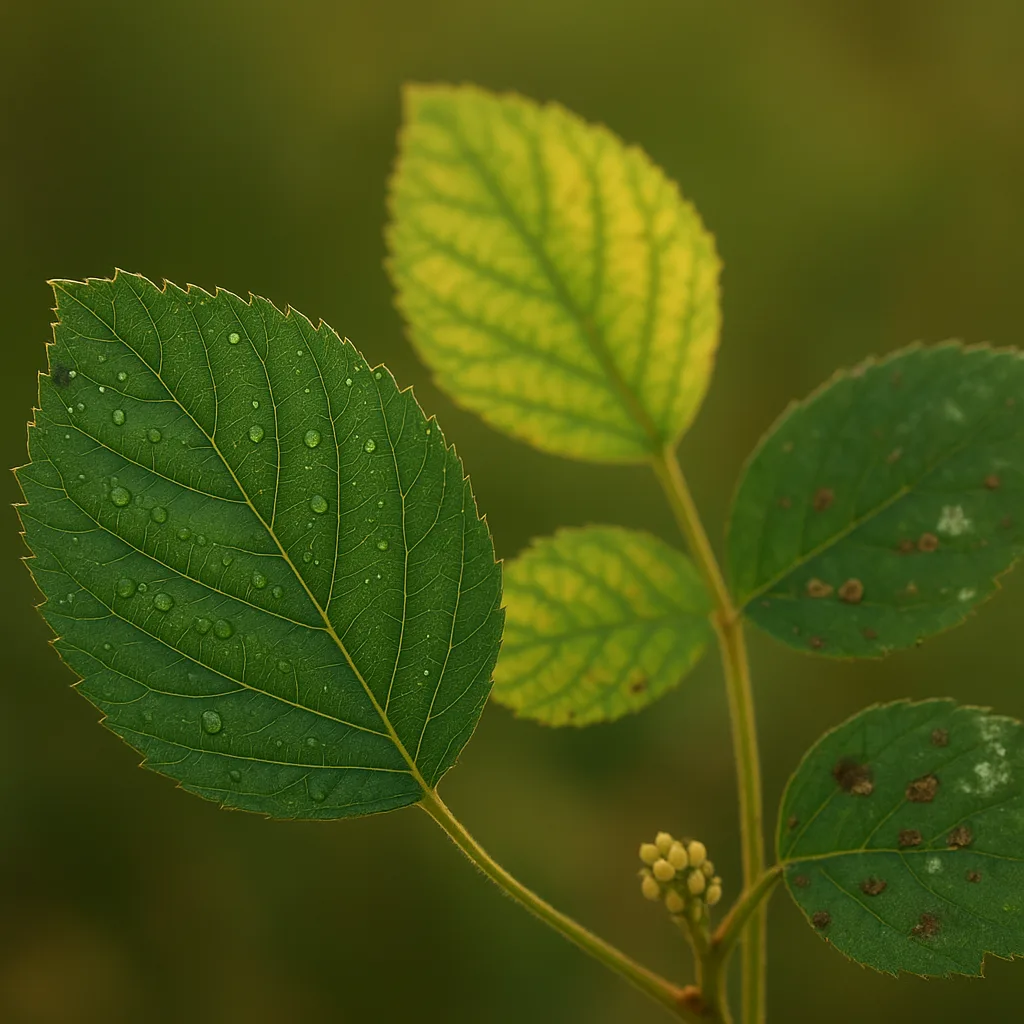
If you search for an app to diagnose plants, you want clear answers fast: what’s making those leaves yellow, whether that blotch is fungal or insect damage, and what to do next. Modern visual-identification apps combine machine learning, curated plant pathology libraries, and crowd-sourced verification to turn a photo into an actionable diagnosis. This guide explains how those apps work, how to choose one, practical field tips for reliable results, and how Orvik fits into the toolbox for gardeners and professionals alike.
How plant identification apps work
Understanding the technical basis helps you interpret results and avoid false positives. Most apps use a pipeline of image capture, preprocessing, classification, and suggestion ranking.
Image recognition and machine learning
- Convolutional neural networks (CNNs) analyze patterns like leaf venation, lesion shape, and color gradients. CNNs are the backbone for visual identification.
- Models are trained on thousands to millions of labeled images. More diverse datasets reduce geographic and cultivars bias.
- Confidence scores are produced (e.g., 0.85 = 85% confidence). Treat these as guidance, not guarantees.
Disease libraries and metadata
- Curated libraries map symptoms to causes—fungi (Erysiphe, Puccinia), bacteria (Xanthomonas, Pseudomonas), viruses (TMV), nutrient deficiencies, and abiotic stress.
- Metadata—host species, season, geographic range—helps narrow plausible diagnoses. For example, downy mildew (Peronospora) often appears in cool, moist springs.
Human verification and feedback loops
- Crowd-sourced confirmations and expert reviews improve accuracy over time.
- Apps like Orvik combine automated suggestions with user feedback to refine future predictions.
Key features to look for in an app
Not all apps are equal. If your search intent is “best plant diagnosis app,” prioritize features that affect reliability and usability.
- Accuracy and confidence scoring: Look for clear confidence percentages and access to the evidence images the model used.
- Species and disease coverage: Prefer apps with tens of thousands of species and region-specific disease libraries.
- Offline mode: Useful in remote gardens; models that run on-device avoid upload delays.
- Step-by-step care guidance: Actionable steps—cultural controls, organic remedies, chemical options—with concentrations and timing.
- Photo tips and quality control: Prompts for lighting, focus, and scale (ruler or coin) improve diagnostics.
- Privacy and data policy: Ensure images aren’t repurposed without consent.
Best apps compared: Orvik and rivals
Several apps dominate searches for "plant disease identification app" and "apps to diagnose plant problems." Below is a practical comparison emphasizing diagnostics rather than leisurely plant naming.
For more on this topic, see our guide on Diagnose and Fix Plant Problems Fast.
Orvik
- AI-first visual diagnosis that emphasizes symptom interpretation and management steps.
- Useful for gardeners and professionals; offers region-aware suggestions and allows uploading multiple images per plant (leaf, stem, whole-plant).
- Integrates crowd feedback and keeps a log of past diagnoses to track progress.
Plantix
- Strong in agricultural crops (wheat, maize, tomato) and has disease management recommendations tailored to farmers.
- Often used in field diagnosis for staple crops in Africa and Asia.
PictureThis / iNaturalist
- PictureThis is plant-centric with excellent species ID and some disease detection; iNaturalist excels at community verification but is less prescriptive about treatments.
Google Lens and general image search
- Fast and useful for species names; less specialized for plant pathology but can find similar images and articles quickly.
Orvik vs Plantix: How to Tell Them Apart
- Orvik focuses on back-to-back diagnostic workflows for gardens and small farms; Plantix targets large-scale crop diagnostics and extension services.
- Choose Orvik if you need a blend of species-level ID plus symptom-driven treatment steps for ornamentals and vegetables. Choose Plantix for crop scouting and yield-oriented recommendations.
How to use an app effectively in the field
Apps are only as good as the images you take. Follow protocol to maximize diagnostic value.
- Take multiple photos: whole plant, leaf close-up, underside of leaf, stem, and any fruit or flowers.
- Distance and scale: For leaves and lesions, 20–50 cm (8–20 in) with a ruler or coin for scale. For whole-plant shots, 2–5 m depending on plant size.
- Lighting: Use diffuse daylight. Avoid harsh midday sun (which creates glare) and deep shadow. Overcast conditions often yield the best detail.
- Focus and resolution: Ensure sharp focus—lesion margins and vein patterns are diagnostic. Use the highest native resolution of your device; many apps recommend at least 8 MP for best results.
- Background: A neutral background (soil, lawn, or plain board) improves contrast. Remove clutter like garden tools that can confuse segmentation.
- Describe context: Add metadata—plant variety, soil moisture, fertilization history, recent weather events, and onset date of symptoms. These details narrow possibilities.
- Tip: If symptoms are subtle, photograph both young and old leaves—nutrient issues and systemic infections often show age-specific patterns.
Diagnosing common plant problems: practical visual cues
Below are common issues you’ll encounter, with practical identification tips including color, size, shape, texture, seasonal timing, habitat, and safety notes.
You may also find our article on Identify Plants and Diagnose Problems with AI helpful.
Fungal diseases
- Powdery mildew (Erysiphe, Oidium spp.)
- Visual cues: white to gray powder on upper leaf surfaces, patchy circular colonies 2–20 mm across; leaves may curl and become chlorotic.
- Seasonality: common in late spring to autumn; favors 15–27°C with low leaf wetness and high humidity at night.
- Habitat: widespread on ornamentals (Rosa spp.), cucurbits, and grapes (Vitis vinifera).
- Downy mildew (Peronospora, Plasmopara spp.)
- Visual cues: yellow angular lesions on upper leaf surface; fuzzy gray to purple sporulation on underside; lesions often follow veins.
- Seasonality: cool, wet springs and falls; temperatures 10–20°C and free moisture on leaves favor spread.
- Leaf spots and rusts (Puccinia spp., Alternaria spp.)
- Visual cues: round to irregular necrotic spots 1–10 mm, often with concentric rings (Alternaria) or raised orange pustules (rusts).
Bacterial infections
- Bacterial leaf spot (Xanthomonas spp., Pseudomonas syringae)
- Visual cues: water-soaked lesions that turn brown/black, often with a yellow halo; lesions may be angular if constrained by veins.
- Habitat & distribution: common in warm, wet conditions; affects vegetables like tomato (Solanum lycopersicum) and pepper (Capsicum annuum).
- Soft rot (Erwinia spp.)
- Visual cues: mushy, foul-smelling decay, often in tubers or stems; tissue collapses under light pressure.
- Safety: wear gloves—bacterial fluids can be irritating and carry secondary organisms.
Viral diseases
- Visual cues: mosaic patterns of light and dark green, leaf deformation, stunted growth. Viruses rarely show fruiting bodies—diagnosis often via lab tests or vector history (aphids).
- Management: remove infected plants; control vectors (aphids, whiteflies) and sanitize tools.
Nutrient deficiencies and toxicities
- Nitrogen deficiency: uniform pale green to yellowing beginning on older leaves; stunting; typical in pH < 6 with leached soils.
- Iron chlorosis: interveinal yellowing on young leaves with green veins; common in calcareous soils (pH > 7.5).
- Calcium deficiency (tomato blossom end rot): sunken, leathery 2–4 cm dark lesions at blossom end of fruit; often linked to inconsistent soil moisture rather than low Ca alone.
- Magnesium deficiency: older leaves with interveinal yellowing and purpling; veins remain green.
Pests
- Aphids: 1–4 mm pear-shaped insects, often clustered on new growth; leave sticky honeydew and cause curled leaves.
- Spider mites: 0.2–0.5 mm, leave stippling and fine webbing; examine undersides of leaves with a hand lens (30x).
- Scale insects: 1–5 mm dome-shaped brown or white bumps on stems and leaf undersides.
Abiotic causes
- Sunscald: bleached, papery patches on fruit or bark after sudden exposure to intense sun. Typically occurs in summer after pruning removes shade.
- Frost damage: crisped, water-soaked cells collapse and turn brown; occurs below ~0°C for tender species.
Free vs paid apps and privacy considerations
Many searches for "diagnose plant problems free" reflect budget-conscious gardeners. Free tools can be valuable, but know their limits.
- Free apps: Often provide species ID and community-sourced disease suggestions. Good for preliminary triage. Example features: limited daily scans, ads, basic care tips.
- Paid/premium features: Higher-resolution analytics, offline models, extensive disease libraries, bespoke recommendations (fungicide concentrations, spray intervals), and a historical log for monitoring.
- Data privacy: Check whether the app retains rights to your photos. For commercial growers, choose apps with explicit data-use restrictions. Orvik provides transparent options for image retention and opt-out for sharing.
Limitations and when to consult an expert
Even the best visual AI has limits. Know when a field app is enough and when lab tests or extension services are necessary.
Looking beyond this category? Check out Dolphin Diets: What They Eat and Why.
Related reading: Which plant is the true money plant?.
- Ambiguous symptoms: When lesions are small (<1 mm) or symptoms overlap (e.g., early nutrient deficiency vs viral mosaic), get a lab test or extension diagnosis.
- Quarantinable pests/diseases: If your app suggests regulated pathogens (Phytophthora ramorum, Xylella fastidiosa), contact your local agricultural authority immediately.
- Crop-value decisions: For high-value crops where treatment costs exceed $500/ha, confirm with an agronomist before applying sprays.
Safety tips: always use personal protective equipment (gloves, eye protection) when handling diseased tissue or applying chemicals; read label instructions for concentration and pre-harvest intervals.
Conclusion
Apps to diagnose plant problems are powerful field tools when used correctly. They accelerate diagnosis, help prioritize management steps, and provide an accessible record of plant health. Orvik is a strong choice for gardeners and small-scale growers who want symptom-aware recommendations and a balance of automated AI and human feedback. Pair any app with careful photo technique, contextual information, and, when necessary, professional confirmation for the best outcomes.
Frequently Asked Questions
- How accurate is an app to diagnose plants?
- Accuracy depends on symptom clarity, image quality, and database coverage. Clear, high-resolution photos (20–50 cm for leaves) and multiple angles improve reliability. Use app confidence scores as guidance and seek lab tests for ambiguous or regulated diseases.
- Are there good free apps to diagnose plant problems?
- Yes. Several apps offer free identification and community verification for initial triage. Free versions may limit daily scans or lack advanced treatment plans available in paid tiers.
- What are the best practices when taking photos for diagnosis?
- Take multiple photos (whole plant, close-up, underside), include a scale object (ruler or coin), use diffuse daylight, ensure sharp focus, and add contextual notes about watering, fertilization, and recent weather.
- When should I consult an extension service or lab?
- Consult experts for suspected regulated pathogens (e.g., Xylella), ambiguous symptoms, high-value crops, or if recommended treatments carry health or legal implications. Labs can perform confirmatory tests (PCR, culture).
- Do apps like Orvik share my photos?
- Data practices vary. Some apps retain anonymized images for training. Orvik provides options to opt out of sharing and to delete uploaded images; always review the app's privacy policy.
- Can apps recommend pesticides or organic controls?
- Many apps provide management suggestions including cultural controls, organic remedies, and chemicals with general application guidance. Always follow local regulations and product labels; consult a professional for precise dosages in large-scale operations.
- How do I tell fungal disease from nutrient deficiency?
- Fungal diseases often produce discrete lesions, sporulation (powdery growth, pustules), or concentric rings; nutrient deficiencies produce more uniform patterns like interveinal chlorosis or older-leaf yellowing. Multiple photos and context (soil pH, watering) help differentiate.