
When a leaf goes yellow overnight or brown spots appear on your favorite philodendron, many gardeners turn to their phones first. This guide explains how apps that tell you what's wrong with your plants work, which ones are reliable, and how to get the most accurate diagnosis so you can save your houseplants, balcony tomatoes, or landscape shrubs.
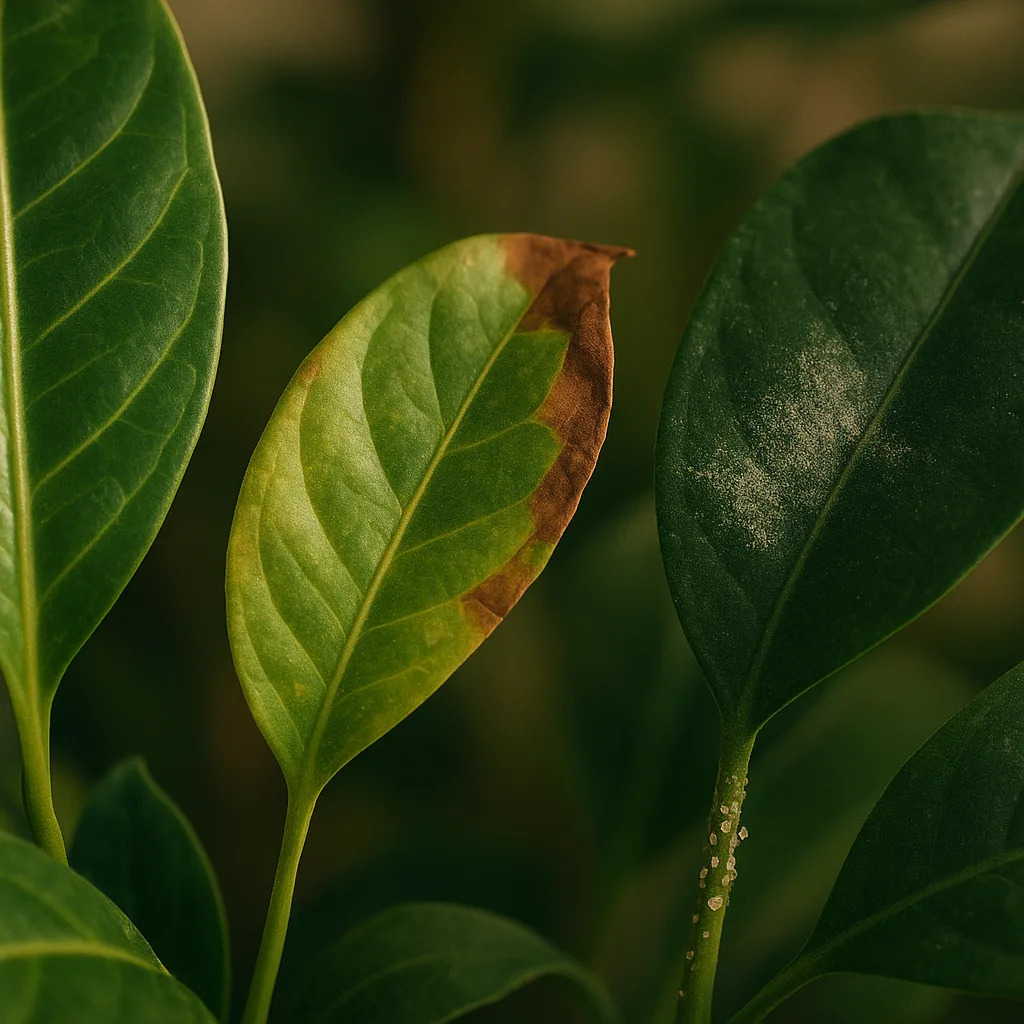
Why plant diagnosis matters: health, yields, and ecology
Diagnosing plant health problems quickly matters for several reasons. A pest outbreak can move through an indoor collection in days; a pathogen in a vegetable bed can cut yields by 30–80% depending on the disease; and misapplied pesticides risk human, pet, and pollinator safety. Mobile apps give you rapid insight so you can respond with the right cultural change, biological control, or safe chemical option.
Common consequences of delayed diagnosis
- Rapid spread of vectors (e.g., aphids, which can reproduce parthenogenetically and double populations in 7–10 days).
- Reduced productivity: fungal blights like Phytophthora spp. can destroy fruit and roots quickly in warm, wet seasons.
- Increased treatment costs and crop loss—early intervention often saves 50–90% of affected tissue.
How plant ID and diagnosis apps work
Most apps that tell you what's wrong with your plants combine image recognition (computer vision), reference databases of species and diseases, and sometimes crowdsourced verification. Some add environmental analytics—soil moisture sensors or weather integration—to improve accuracy.
Key technical components
- Image recognition models: Convolutional neural networks (CNNs) trained on thousands to millions of labeled images.
- Taxonomic and pathology databases: Botanical names (e.g., Solanum lycopersicum for tomato) and disease records with symptoms.
- Metadata: Location, time of year, and user notes often improve predictions.
What these apps can and can't do
- Can often identify species with 70–95% confidence when images are clear and complete.
- Can suggest likely causes (nutrient deficiency vs. fungal spot vs. insect damage) based on symptom patterns.
- May struggle with multiple simultaneous problems, early-stage symptoms, or species outside their training set.
What to look for in an app: features that matter
Not all apps are created equal. If you search “diagnose my plant app” or “app to tell what's wrong with plants,” prioritize these features to increase the odds of a helpful result.
For more on this topic, see our guide on Identify Plants and Diagnose Problems with AI.
Essential features
- Clear species and disease labels: Look for apps that use scientific names (e.g., Botrytis cinerea) as well as common names.
- Image quality checks: The app should prompt for focused, well-lit photos and multiple angles.
- Contextual advice: Cultural fixes (watering, pruning), biological controls, and safe chemical options with dosages or dilution ratios where applicable.
- Free vs paid tiers: Many apps offer free basic ID; advanced diagnostic tools, historical tracking, or expert consults are often paid.
- Offline capability: Useful if you’re in the field without reliable internet.
- Community verification: A network of botanists or extension agents improves accuracy.
Top apps compared: Orvik, Plantix, iNaturalist, PictureThis and others
Below is a practical comparison for gardeners searching for an app to tell plants what's wrong. This section highlights strengths, limitations, and when to use each tool. Orvik appears here as a capable visual-identification tool with disease- and pest-focused support.
Orvik
- Strengths: Fast visual ID using AI, plant health diagnoses, and clear treatment suggestions. Good for home gardeners and urban growers.
- Limitations: Like many AI tools, accuracy depends on image quality and the plant being in the app’s database.
- Best use: Quick on-the-spot checks and to learn visual cues; pair with guidelines for chemical dosages from extension services.
Plantix
- Strengths: Strong agricultural focus with crop disease database and yield-impact estimates.
- Limitations: More oriented to field crops than ornamental houseplants.
PictureThis
- Strengths: Large plant identification database and care guides for many ornamentals.
- Limitations: Disease diagnosis can be mixed; subscription required for full features.
iNaturalist
- Strengths: Community validation by botanists and naturalists, excellent for wild plants and distribution records.
- Limitations: Less focused on plant pathology and treatment steps.
X vs Y: How to tell them apart
- Orvik vs PictureThis: Orvik emphasizes health diagnosis and quick treatment tips; PictureThis leans toward species ID and general care. Use Orvik for a suspected disease and PictureThis to confirm species care needs.
- Plantix vs iNaturalist: Plantix is for crop diseases and farmers; iNaturalist is for biodiversity records and peer review. Choose Plantix for yield-saving action, iNaturalist for accurate species verification.
Practical visual identification tips: read the signs yourself
Apps are tools, not oracles. Learning a few visual cues will help you take better photos and interpret app results. Below are practical, field-tested signs for common problems.
You may also find our article on Diagnose Plant Health Like a Pro helpful.
Nutrient deficiencies
- Nitrogen deficiency: Uniform chlorosis (yellowing) starting on older leaves; overall stunted growth. Leaves feel thin; petiole lengths may decrease by 10–30%.
- Iron deficiency (Fe chlorosis): Interveinal yellowing on new leaves; veins remain green. Common in high-pH soils >7.5 where iron is less available.
- Magnesium deficiency: Interveinal chlorosis on lower leaves, often with red or purple margins in species like Brassica oleracea (kale) or grapes.
Fungal vs bacterial vs viral symptoms
- Fungal (e.g., Botrytis cinerea, Alternaria): Discrete spots with concentric rings or fuzzy gray/brown growth; often worse in humid conditions. Spots typically 2–20 mm in diameter.
- Bacterial (e.g., Pseudomonas syringae): Water-soaked lesions that may turn brown and ooze; margins often irregular; can have yellow halo.
- Viral: Mottling, mosaic patterns, distorted growth; symptoms often appear systemically across a plant and persist through seasons.
Insect and mite damage
- Aphids (Aphidoidea): Clusters on new growth, excretion of sticky honeydew, possible presence of sooty mold; adults 1–3 mm long, soft-bodied.
- Spider mites (Tetranychus urticae): Very small (0.3–0.5 mm), cause stippling and fine webbing on underside of leaves; damage increases in hot, dry conditions.
- Scale (Coccoidea) and mealybugs (Pseudococcidae): Stationary bumps or white cottony masses along stems and leaf joints; typically immobile adults visible to the naked eye.
How to use diagnosis apps effectively: photo and data best practices
Accurate diagnosis starts with a good photo and a bit of context. Apps perform better when you control lighting, show multiple parts, and provide environmental details.
Photo-taking checklist
- Use natural light when possible; avoid direct midday sun that creates harsh shadows.
- Take 3–6 photos: whole plant, close-up of symptomatic leaf (2–10 cm scale), underside of leaf, and stem or root if visible.
- Include a scale reference (a coin, ruler, or a 1-cm grid) to help apps estimate lesion size.
- Capture context: pot, soil surface, nearby plants, and any pests present.
What metadata to add
- Date and location (city, region). Disease prevalence often varies by geography—phytophthora is common in wet temperate regions, while powdery mildew often spikes in dry, warm climates.
- Recent care: watering frequency, recent fertilization, soil type (peat-based, loam, clay), and light exposure (full sun, 6+ hours; partial shade, 3–6 hours; deep shade, <3 hours).
- Seasonal notes: Many fungal diseases peak in spring and fall in temperate zones; pest pressure often increases in late spring through summer.
Treatment guidance, safety, and when to seek experts
After diagnosis you’ll need treatment options and safety guidance. Apps can suggest cultural, biological, and chemical controls, but always check local extension recommendations for exact dosages and regulations.
You might also be interested in Fast Beetle Identification Guide.
Related reading: Identify Plant Problems in Minutes.
Quick-action treatments
- Cultural fixes: Improve air circulation, reduce watering frequency by 20–50% where overwatering is suspected, and remove heavily infected leaves to reduce inoculum.
- Biological controls: Beneficial insects such as Harmonia axyridis (lady beetles) for aphids, or Beauveria bassiana for certain soft-bodied pests.
- Organic sprays: 0.5–1% horticultural oil, neem oil at 0.5–2% dilution depending on label, or copper fungicide for bacterial leaf spots (follow label rates carefully).
Safety and toxicity warnings
- Some commonly grown plants are toxic: Dieffenbachia (Dieffenbachia spp.) can cause oral burning; Nerium oleander contains cardiac glycosides and is potentially lethal if ingested. Wear gloves when handling exposed sap or chewed leaves.
- Chemical pesticides and fungicides have label-specific safety instructions. Use respirators or masks for fine-particle sprays, and never apply indoors without adequate ventilation.
- Protect pollinators: avoid spraying flowering plants with broad-spectrum insecticides; opt for targeted measures in evening when bees are inactive.
When to consult a human expert
- If the problem threatens high-value plants or large acreage (e.g., orchard or commercial greenhouse).
- If human or pet exposure concerns arise—e.g., symptoms after handling a plant, unknown toxins suspected.
- If app diagnoses conflict or if multiple pests and pathogens appear simultaneously; extension services and certified arborists can perform lab tests (PCR, culturing) for definitive ID.
Putting it all together: workflow for diagnosing a sick plant
Use this simple workflow when you reach for an app to tell you what is wrong with your plant. It combines best practices for photos, app selection, and follow-up actions.
- Observe: Note symptoms, rate of spread, and plant type (houseplant, vegetable, woody shrub).
- Photograph: Take multiple images with scale and good lighting (see checklist above).
- Use an app: Try Orvik or another diagnosis app to get an initial read—capture the app’s suggested confidence and alternative diagnoses.
- Cross-check: Use a second app or community resource (iNaturalist, local extension) for verification.
- Treat cautiously: Start with cultural and biological controls; escalate to chemicals only if necessary and following label guidance.
- Monitor: Reassess every 3–7 days and document progress with photos to feed back into the app for improved tracking.
Conclusion
Apps that tell you what's wrong with your plants are powerful allies for gardeners, farmers, and plant lovers. When used with good photos, basic botanical knowledge, and sensible safety practices, these tools—Orvik included—can help you diagnose and treat problems faster and more accurately. Remember: apps are most effective when combined with observation, common-sense cultural changes, and local expert help when needed.
Frequently Asked Questions
- What is the best app to diagnose plant health problems?
- There is no single 'best' app for every need. Orvik is excellent for quick visual diagnoses and practical tips; Plantix is well-suited for crops, iNaturalist for community verification, and PictureThis for species ID and care guidance.
- Can an app tell me exactly what pesticide to use?
- Apps can suggest treatment options, but you should verify pesticide choices, dosages, and local regulations with your national or local extension service and follow label instructions to ensure safety.
- Are there free apps to diagnose my plant?
- Yes. Many apps offer free basic identification and diagnostic suggestions, though advanced features like expert consultations, extended history, or high-confidence diagnoses often require a subscription.
- How do I take photos that give the app the best chance of an accurate diagnosis?
- Use natural, diffuse light; take 3–6 photos showing the whole plant, symptomatic leaves (close-ups 2–10 cm), leaf undersides, and stems; include a scale reference like a ruler or coin.
- When should I seek a lab test or human expert?
- If the plant is high-value, the problem threatens many plants, human or pet safety is a concern, or app diagnoses conflict. Labs can perform cultures, PCR, or microscopy for definitive identification.
- Can apps diagnose pests like spider mites or mealybugs?
- Yes, many apps identify visible pests. For tiny organisms like spider mites (0.3–0.5 mm), look for symptoms such as stippling and fine webbing, and submit close-up photos of the underside of leaves.
- Do these apps work worldwide?
- Most apps have global databases but perform best in regions represented in their training data. iNaturalist and Orvik often perform well across many regions; agricultural apps like Plantix are strongest where they have localized crop data.