
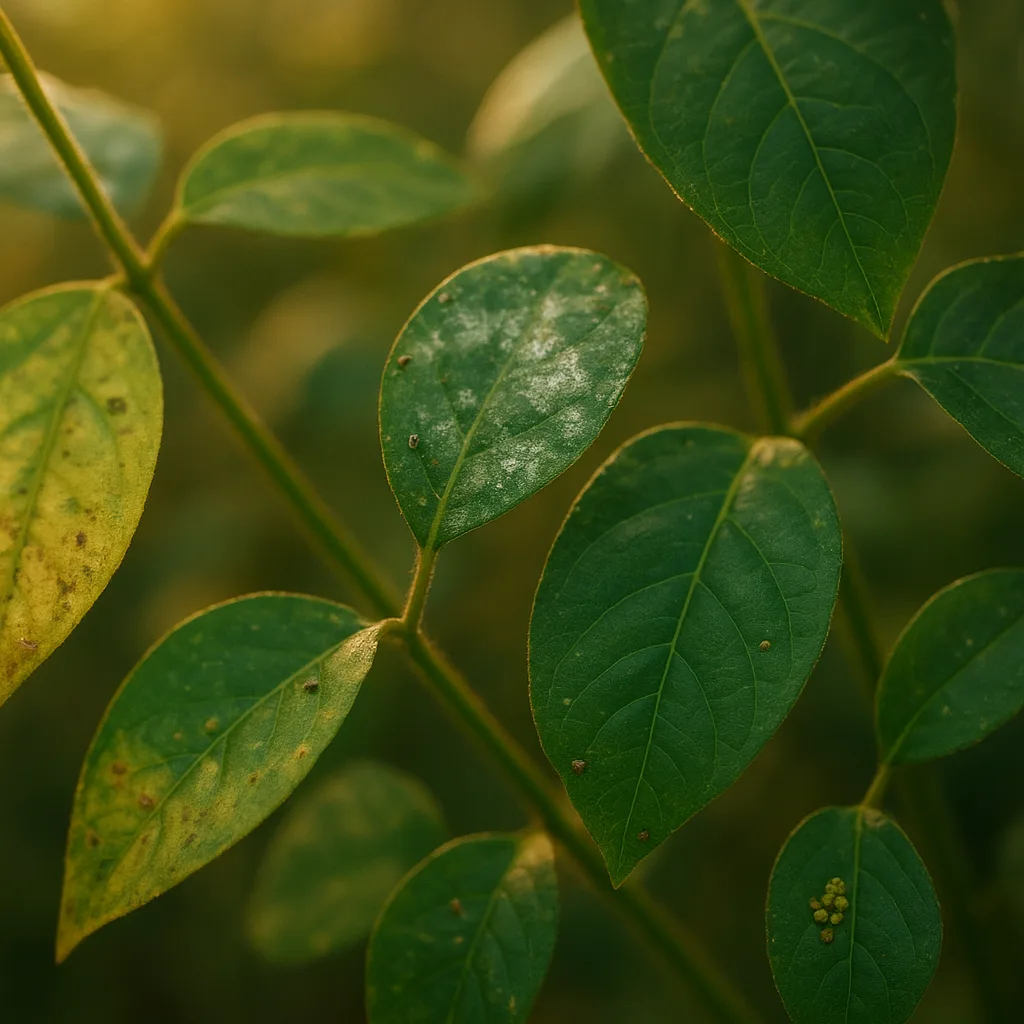
If you've ever stood over a mottled leaf and wondered whether it was a nutrient deficiency, a fungal infection, or simply old age, you are describing the exact moment people reach for a free plant diagnosis app. Modern AI visual identification tools—often called "Shazam for plants"—can speed identification from minutes or days to moments. This guide explains how those tools work, how to get reliable results, and when to trust a digital diagnosis versus an expert in the field. I also show practical identification tips, habitat notes, and safety warnings so you can act confidently after the app gives you a name or diagnosis.
Why people search for a free plant diagnosis app
Search intent behind queries like "find a plant app," "plant shazam app," or "plant finder app free" usually falls into a few clear needs. People want to:
- Identify an unknown plant species quickly in the field.
- Diagnose symptoms—spots, wilting, yellowing—to treat pests or disease.
- Get care instructions (watering, light, fertilizing) tailored to a species.
- Record and map biodiversity for gardening or citizen science.
- Find a free, easy tool without subscription lock-ins.
Understanding these motives helps you choose the right app and the right workflow. If your goal is immediate treatment for a sick plant, you need diagnostic features and clear management steps. If your goal is pure species identification, accuracy and a broad reference library matter more.
How AI visual identification works
Behind the polished interface of any plant identification app sits a machine-learning model trained on thousands to millions of labeled images. These models analyze patterns—leaf shape, venation, flower form, color, texture—and compare them to known examples.
- Feature extraction: The model breaks an image into visual features (edges, color regions, textures).
- Pattern matching: The features are matched against a database of labeled images for similarity.
- Confidence scoring: Results include a confidence or probability to indicate how likely the match is.
Photo quality tips
- Take multiple shots: whole plant, close-up of leaf, underside, flower, fruit, bark—coverage improves accuracy.
- Use natural light: avoid heavy backlighting or shadows; early morning and late afternoon produce soft light.
- Include scale: a coin or ruler helps the app and human reviewers estimate size (leaf length, fruit diameter).
Common AI limitations
- Juvenile vs. mature forms: seedlings often look different (e.g., Quercus rubra saplings vs mature leaves).
- Damage and disease can obscure key features.
- Rare species or cultivated cultivars may not exist in the training set.
Orvik and similar tools reduce these limitations by prompting for additional photos and metadata (location, season). Still, combining AI with simple field knowledge dramatically improves outcomes.
Using Orvik: A practical walkthrough
Orvik is an AI-powered visual identification app designed to serve both casual gardeners and field naturalists. It behaves like a plant finder app free to download, offering species identification and a diagnostic workflow for plant health problems. Here’s a typical practical workflow you can use with Orvik or any robust identification app.
For more on this topic, see our guide on Diagnose and Fix Plant Problems Fast.
- Open the app and select the mode: "Identify" for species or "Diagnose" for symptoms.
- Photograph the plant using multiple angles: whole plant, leaf upper surface, leaf underside, stem/bark, flower/fruit.
- Add optional metadata: approximate height (e.g., 1.5 m), habitat (garden, roadside, wetland), and location (GPS).
- Review the top matches and confidence scores; read the short species description and habitat notes.
- If diagnosis mode was chosen, tap symptom tags (yellowing, spots, holes) to refine likely causes and recommended steps.
- Export or save the record to a collection for monitoring and follow-up photos (useful for seasonal changes).
Orvik emphasizes clear, actionable guidance after identification—care schedules, watering frequency (e.g., 1–2 times weekly for young Solanum lycopersicum seedlings), and when to use physical controls versus chemical ones.
Interpreting results
- Species name: Look for the accepted scientific name (genus + species, e.g., Acer rubrum) to avoid ambiguity.
- Confidence: A high confidence (e.g., >85%) suggests reliability; below 60% treat the ID as tentative.
- Supporting images: Compare your photo to the app’s reference images and note life stage differences.
Identification tips: visual cues field guide
Good identification relies on a few consistent visual cues. Below are practical pointers with measurements and examples to train your eye.
- Leaf arrangement: Alternate (one per node) vs. opposite (two per node) vs. whorled. Example: Rosa spp. typically have pinnate leaves with 5–7 leaflets; Acer spp. (maples) have opposite simple palmate leaves, often 6–12 cm across.
- Leaf margin and shape: Entire, serrated, lobed. Quercus robur has lobed leaves with rounded sinuses; Prunus serrulata has serrated margins and elliptical leaves 5–10 cm long.
- Venation: Parallel in monocots (grasses, lilies), netted in dicots. The pattern of secondary veins can be diagnostic (e.g., Ficus elastica has prominent midrib and parallel secondary veins).
- Flowers: Symmetry (radial vs. bilateral), number of petals, color, and arrangement (inflorescence type). Hibiscus rosa-sinensis has a funnel-shaped corolla 7–10 cm across with fused petals.
- Fruit and seed: Berries, drupes, nuts, capsules help narrow families. Walnut (Juglans regia) produces a green, globose drupe ≈4–6 cm in diameter.
- Bark and stem: Color, fissuring, and lenticels are useful in winter. Young Betula pendula stems are smooth and white with horizontal lenticels.
Use a small notebook or the app’s notes field to record these diagnostics—leaf measurements, smell (e.g., crushed Mentha leaves give a strong mint aroma), and tactile qualities (hairy vs. glabrous).
Diagnosing plant health: pests, diseases, and nutrient issues
When diagnosing a sick plant, categorize symptoms into a short list and look for patterns. Here are practical categories and their visual signatures.
- Discoloration and chlorosis: Uniform yellowing often indicates nitrogen deficiency; interveinal chlorosis (green veins, pale tissue between veins) typically signals iron or magnesium deficiency.
- Spots and lesions: Circular tan spots with dark margins can indicate fungal leaf spots (e.g., Septoria spp.); powdery white coating is usually powdery mildew (Erysiphe spp.).
- Wilting and sudden collapse: Could be root rot (overwatering, Phytophthora spp.) or vascular wilts (Fusarium or Verticillium).
- Chewing and holes: Caterpillars and beetles leave ragged holes; slugs create smooth-edged holes, often low on the plant or at night.
- Sticky residues and distortion: Honeydew from aphids, scale, or whiteflies attracts sooty mold and causes leaf curling.
Treatment priorities
- Start with cultural changes: improve drainage, adjust watering frequency, increase air circulation.
- Use mechanical controls: prune infected tissues 10–15 cm into healthy wood, remove fallen debris.
- Biological and chemical controls: introduce beneficial predators (lady beetles for aphids), use targeted fungicides or insecticides only when necessary and following label rates (e.g., dilution rates on product labels).
Orvik and similar apps will often suggest stepwise actions and safe treatment thresholds. Use that guidance as a starting point, and consult extension services for regulated or high-risk problems.
You may also find our article on Identify Plants Fast: In-Depth PlantSnap Review helpful.
Comparison: Orvik vs other plant finder apps (Shazam for plants)
The "Shazam for plants" metaphor promises instant, accurate recognition. In practice, apps differ in database size, diagnostic tools, user community, privacy, and cost. Here’s how to compare them.
- Accuracy and dataset breadth:
- Orvik: focuses on both species ID and health diagnosis with an emphasis on horticultural and garden plants.
- iNaturalist: excellent for wild species and community verification; strong for biodiversity records.
- PictureThis / PlantNet: large species libraries; PictureThis emphasizes aesthetics and horticultural care tips.
- Diagnostic features:
- Orvik: integrated symptom recognition for pests/diseases with management recommendations.
- Generic plant finder apps: often limited to species ID without actionable disease treatment steps.
- Cost and access:
- Many apps offer free identification but reserve advanced diagnostics or unlimited use for paid tiers. Look for genuinely free diagnostic features if budget is a concern.
- If you specifically searched "plantfinder app free" or "plant finder app free," verify whether the app restricts daily scans or places watermarks on results.
- Community vs automated ID:
- Community-driven platforms (iNaturalist) provide human verification, valuable for rare species.
- AI-first tools (Orvik) provide instant results and are optimized for common agricultural and garden problems.
- Privacy and data use:
- Check whether photos or location are used for model training. Orvik offers options to restrict sharing of your uploaded images in many configurations.
Ultimately, the best choice depends on whether you prioritize quick management advice (lean toward Orvik or horticultural-focused apps) or scientific records and community verification (lean toward iNaturalist).
Safety, toxicity, and legal considerations
Identification is often more than curiosity—some plants are hazardous. A good diagnostic app will flag toxic species and suggest safety measures.
Looking beyond this category? Check out Dolphin Diets: What They Eat and Why.
- Know the high-risk species: Nerium oleander (oleander) contains cardiac glycosides; ingestion can be fatal. Scientific name: Nerium oleander.
- Pets and children: Lilium spp. (true lilies) are highly toxic to cats, causing acute kidney injury even from small exposures to pollen or water in the vase.
- Contact irritants: Dieffenbachia (Dumb cane, Dieffenbachia seguine) and Euphorbia spp. can cause oral or skin irritation upon contact.
- Sago palm (Cycas revoluta) seeds are extremely toxic to dogs and humans; even small quantities can cause liver failure.
When an app identifies a toxic plant, follow conservative safety steps: isolate the plant, wear gloves, keep pets and children away, and contact poison control or a veterinarian if ingestion is suspected.
Related reading: Diagnose Plant Health Like a Pro.
Privacy, accuracy, and when to seek an expert
Apps are powerful but not infallible. Consider these criteria for when to accept an app’s answer and when to escalate to human expertise.
- Low confidence score: If the app’s confidence is below ~60%, seek further verification.
- High-stakes problems: Tree health and structural defects (root rot, internal decay) often require arborist inspection. For commercially valuable crops, consult an extension pathologist before applying pesticides.
- Regulated pests and pathogens: If the suspected diagnosis is a quarantined pest (e.g., Xylella fastidiosa in some regions), report to local agricultural authorities immediately.
- Privacy settings: Review whether the app stores your photos and GPS data; choose apps with opt-out or anonymization options if you are concerned.
When accuracy matters, combine tools: get an AI preliminary diagnosis with Orvik, then upload to a community site like iNaturalist or contact a local Cooperative Extension for lab confirmation.
Practical field examples and seasonal behavior
Below are three short, practical examples you can use as templates when diagnosing in the field.
- Example 1 — Powdery leaves on rose (Rosa spp.):
- Visual cues: white, flour-like coating on upper leaf surface and buds; leaves 3–6 cm long, serrated.
- Season: spring through late summer in humid conditions.
- Likely cause: powdery mildew (various Oidium/Podosphaera species).
- Action: remove affected leaves, improve air flow, apply sulfur or potassium bicarbonate treatments early.
- Example 2 — Yellow older leaves on tomato (Solanum lycopersicum):
- Visual cues: uniform yellowing starting on lower leaves, stems otherwise green; fruit set normal.
- Season: mid-summer; can coincide with heavy rain or poor soil.
- Likely cause: nitrogen deficiency or root stress from low oxygen.
- Action: test soil, add balanced N fertilizer (e.g., 10-10-10) at recommended rates, check drainage.
- Example 3 — Sticky leaf surfaces and curled leaves on young maple (Acer spp.):
- Visual cues: new growth curled and deformed, honeydew present with black sooty mold; leaves 5–8 cm long.
- Season: spring to summer when aphids are active.
- Likely cause: sap-sucking insects (aphids or scale).
- Action: spray with strong water jet to dislodge aphids, introduce predators, or use insecticidal soap.
Conclusion
Searching for a "free plant diagnosis app" typically means you want fast, reliable plant identification and actionable steps to treat problems. AI tools like Orvik combine image recognition and symptom analysis to give you a head start—often with useful care advice and warnings about toxic species. To get the best results, take clear, multiple-angle photos, note habitat and scale, and treat app results as a first line of information. For low-confidence or high-risk situations, follow up with community platforms or local experts. With these practices, a plant ID app becomes a powerful extension of your field senses, helping you protect plants, pets, and people.
Frequently Asked Questions
- What is the best free plant diagnosis app?
- No single app fits every need. Orvik is strong for diagnostics and care guidance; iNaturalist is best for community verification. Choose based on whether you want immediate treatment steps or expert-backed records.
- Can an app reliably diagnose plant diseases?
- Apps can identify common symptoms and suggest likely causes, but reliability depends on photo quality and context. Use app results as an initial guide and consult experts for confirmation in serious cases.
- How should I photograph a plant for best results?
- Take multiple photos: full plant, close-ups of leaves (upper and lower), stems/bark, flowers/fruits. Include a scale (coin or ruler) and use natural, even lighting.
- Are identification apps safe for my privacy?
- Review the app’s privacy policy. Many apps may use submitted images to improve models unless you opt out. Some apps allow local storage or anonymized location data.
- What to do if an app identifies a plant as toxic?
- Treat the identification conservatively: isolate the plant, wear gloves, keep pets and children away, and contact poison control or a veterinarian if ingestion is suspected.
- Can plant ID apps work offline?
- Some apps offer limited offline functionality using cached models, but most require a network connection for full diagnostic capabilities and up-to-date references. Check the app’s settings for offline options.