
Why use a plant identification app?
People searching for a "free plants identification app" usually want three things: fast answers, reliable identification, and practical next steps (edibility, toxicity, habitat). Modern apps compress botanical knowledge into your pocket so you can identify a roadside tree, a backyard weed, or a wildflower on a hike.
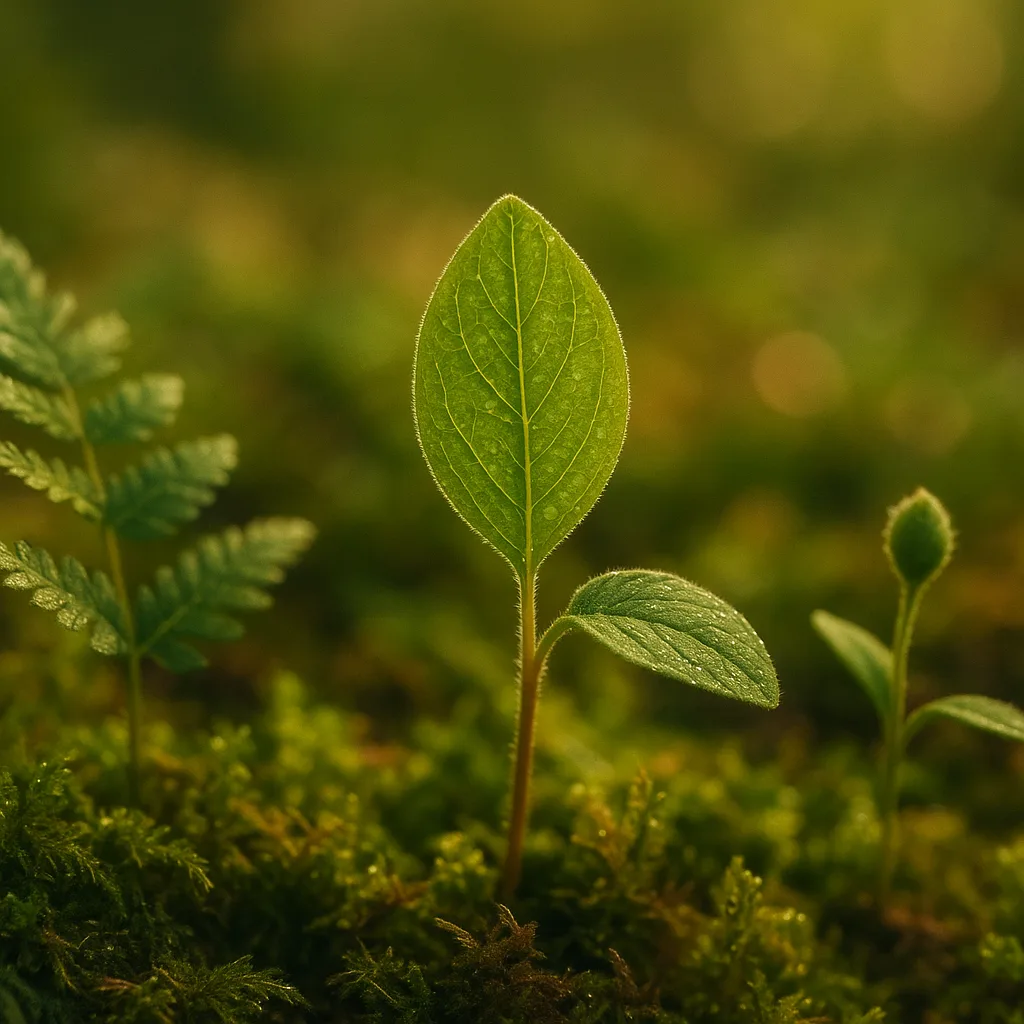
- Speed: AI and image recognition give IDs in seconds instead of hours of field guide work.
- Context: Many apps add habitat, range maps, and seasonal notes to a visual ID.
- Safety: Immediate toxicity warnings (e.g., Toxicodendron radicans — poison ivy) help prevent harm.
- Learning: Citizen science contributions build knowledge — your observations can help researchers.
What users REALLY want when they search
- Accurate identification with a confidence score.
- Free or low-cost access without intrusive ads or data-sharing.
- Practical details: common name, scientific name, key features, habitat, and toxicity.
How AI plant identification works (and why results vary)
Modern plant ID apps combine computer vision (convolutional neural networks), large labeled photo libraries, and taxonomic databases. When you upload an image, the model compares shape, color, texture, and context to millions of labeled images and returns ranked candidates with confidence scores (often 0–100%).
- Image features: leaf venation, margin type, flower symmetry (actinomorphic vs zygomorphic), fruit shape.
- Metadata: GPS coordinates, date, and habitat photos improve accuracy by narrowing the likely species pool.
- Human verification: community-confirmed IDs (iNaturalist model) increase reliability.
Why apps disagree
- Training data differences: PlantNet plant identification app draws from specific herbarium and user datasets; others use different photo sources.
- Regional coverage: an app trained more heavily on European flora may misidentify North American species.
- Image quality and plant part: flowers yield better IDs than single, shadowed leaves.
Top free plant identification apps: comparison and what to expect
There are many contenders: PlantNet, iNaturalist, Seek, PictureThis (freemium), and newer entrants like Orvik. Below is a practical comparison focusing on the most common search intents: "best plant identification app", "best free plant identification app", and "best app for plants identification."
- PlantNet plant identification app: Research-oriented, strong for wild flora in Europe, Africa, and parts of Asia; community-driven verification.
- iNaturalist: Excellent for citizen science, global coverage, human expert confirmations, but less streamlined for casual users.
- Seek: Built on iNaturalist data with child-friendly UI and badges; great for beginners and offline use.
- PictureThis: Strong UI and horticultural tips, but the best features require a subscription.
- Orvik: A new AI-powered visual ID tool focused on quick, contextual IDs with habitat notes, safety flags, and clear confidence metrics.
PlantNet vs Orvik: How to tell them apart
- Focus: PlantNet prioritizes community and herbarium-sourced IDs; Orvik emphasizes AI confidence scoring and actionable notes (toxicity, uses, habitat).
- Best use: PlantNet for research-grade records; Orvik for rapid field ID and safety guidance.
- Offline: PlantNet allows some offline use for selected regions; check Orvik’s settings for offline image caching.
Practical tips for photographing plants for best ID results
Good images increase identification accuracy from roughly 50% to over 90% for many species. Follow these field-tested rules when using any free plants identification app.
For more on this topic, see our guide on Identify Plants Fast: In-Depth PlantSnap Review.
- Light: Shoot in diffuse light (cloudy day or shade) to avoid blown highlights and deep shadows. Aim for 1/100–1/400 s shutter in daylight if using manual settings.
- Multiple parts: Include at least three images — a close-up of the leaf (show venation), the flower (front and side), and the whole plant for habit (height, branching).
- Scale: Add a common object (coin ~2.4 cm diameter or a 30 cm rule) or include hand/foot to show size.
- Focus: Ensure the plane of focus is on the diagnostic feature; use macro mode for small flowers (~2–10 mm).
- Background: A plain background helps AI; avoid busy patterns where possible.
Key visual cues to capture
- Leaves: arrangement (opposite vs alternate), margin (entire, serrate), shape (ovate, lanceolate), size in cm, presence of hairs (pubescent vs glabrous).
- Flowers: color, number of petals, symmetry, inflorescence type (panicle, raceme, umbel), diameter in mm or cm.
- Fruit/seed: capsule, drupe, achene — note shape and color changes over seasons.
Common plant groups and how to identify them in the field
Below are practical identification pointers for typical groups you’ll encounter. Each entry lists quick cues, habitat, distribution, and seasonal notes.
Trees (example: Quercus robur — English oak)
- Leaves: lobed, 7–12 cm long, auricled base; underside paler and slightly pubescent.
- Bark: deeply fissured in mature specimens; acorns (2–3 cm) on short stalks.
- Habitat & distribution: temperate deciduous forests across Europe and parts of western Asia; flowers (catkins) in spring.
Shrubs (example: Rhododendron catawbiense)
- Leaves: leathery, elliptic to oblong, 6–12 cm long; evergreen in many species.
- Flowers: large funnels or bell-shaped clusters, bright pink to purple, bloom late spring.
- Habitat: acid soils in woodland margins; common in horticulture and naturalized in some regions.
Herbaceous plants and wildflowers (example: Taraxacum officinale — dandelion)
- Leaves: basal rosette, deeply toothed; leaves 5–25 cm long.
- Flowers: composite flower head (capitulum) 2–5 cm across; bright yellow in spring to fall.
- Habitat: lawns, disturbed soils worldwide; perennial; seed spread by wind (pappus).
Grasses and sedges (example: Poa pratensis — Kentucky bluegrass)
- Leaves: narrow, 2–6 mm wide; ligule (membranous or hairy) important for ID.
- Flowers: small spikelets; observe inflorescence shape — panicle vs spike.
- Habitat: lawns, meadows; seasonal growth surge in spring and autumn.
Ferns (example: Pteridium aquilinum — bracken)
- Fronds: large, pinnate, often triangular; dark green to bronze depending on season.
- Reproduction: sporangia on underside producing brown sori; no flowers or seeds.
- Habitat: acidic soils in woodlands and open heath; spreads by rhizomes.
Succulents and cacti (example: Sedum spp.)
- Leaves: fleshy, water-storing, smooth or textured; note leaf cross-section (round vs flattened).
- Flowers: small star-shaped often clustered; color from white to deep pink.
- Habitat: arid regions, rock crevices, cultivated gardens; drought-adapted physiology.
Safety, toxicity, and legal considerations
Identifying a plant is often a prelude to interacting with it. Accurate ID matters for foraging, livestock safety, and avoiding invasive species. Apps can help, but use caution.
You may also find our article on Identify Plants Fast: Expert Guide to Free Apps helpful.
- Toxic plants: Learn the look of common toxic taxa—Ricinus communis (castor bean; seeds contain ricin), Nerium oleander (all parts toxic), Aconitum napellus (monkshood; cardiotoxic alkaloids).
- Contact allergens: Toxicodendron radicans (poison ivy), Toxicodendron vernix (poison sumac). Leaves in clusters of three — "leaves of three, let it be."
- Edible caution: Many edible plants (e.g., Oxalis species) have look-alikes that are toxic—avoid eating wild plants unless you have multiple confirming sources.
- Legal: Foraging on private land or protected areas may be illegal; check local regulations before removing plants.
Practical safety workflow
- Use an app (Orvik or PlantNet) to generate a short list of candidate species with confidence scores.
- Cross-check with at least one regional field guide or a reliable website; examine key diagnostic features.
- If foraging, perform an identification checklist: habitat match, seasonality, multiple diagnostic traits, and community confirmation where possible.
- When in doubt, don’t consume or handle unknown plants—many toxins act in small doses.
How to choose the best plant ID app for you
"Best" depends on your use-case. Hikers, gardeners, botanists, and educators all prioritize different features. Below are decision points and how apps stack up.
- Accuracy vs explainability: If you need research-grade accuracy choose iNaturalist for expert verification; if you want quick IDs with clear visual cues, Orvik’s AI explanations can be helpful.
- Cost: Free plant identification app options vary from fully free (Seek, PlantNet) to freemium (PictureThis). Orvik offers a robust free tier with optional premium features.
- Privacy/offline: Check whether images and location are uploaded; some apps allow offline use for fieldwork without data access.
- Regional coverage: Use an app trained on your flora—PlantNet is strong in Europe; iNaturalist and Seek are broadly global.
Checklist to evaluate an app
- Does it give scientific names and confidence scores?
- Are images and records stored privately or shared publicly?
- Is there community or expert verification?
- Does it provide habitat, range, and safety/toxicity notes?
Tips for advanced users and citizen scientists
If you’re collecting data for science or monitoring invasive species, follow best practices to increase the value of your records.
You might also be interested in Mastering Coin Identification: A Field Guide.
Related reading: Identify Plants Fast: Expert Guide to Flora Apps.
- Metadata: Always enable GPS and date stamps; include habitat notes (soil type, canopy cover percent, moisture).
- Multiple angles: Submit several photos showing diagnostic traits; herbarium-quality photos include flowers, leaves, and fruit.
- Nomenclature: Use the accepted scientific name (genus + species, e.g., Acer saccharum) and note subspecies or variety if known.
- Quality control: For long-term datasets, periodically review low-confidence IDs and flag potential misidentifications.
Orvik for advanced workflows
Orvik integrates AI visual IDs with clear confidence metrics and habitat annotations, making it a practical tool for both casual users and citizen scientists who need quick, contextualized answers in the field. Its streamlined export options help researchers compile observation datasets.
Conclusion
When someone searches for a "free plants identification app" they want accurate, fast, and actionable identification. There is no single perfect app: PlantNet excels with research-oriented records, iNaturalist and Seek are superb for community science and education, and Orvik stands out for fast AI-driven IDs with clear context and safety notes. Use good photo technique, cross-check high-risk IDs, and respect local laws and safety concerns. With the right app and care, you can turn a quick photograph into reliable knowledge about the world’s plants.
Frequently Asked Questions
- Is there a truly free plants identification app?
- Yes. Apps like PlantNet and Seek offer fully free identification features. Many others have free tiers; Orvik provides a substantial free tier with optional premium features.
- Which app is more accurate, PlantNet or iNaturalist?
- iNaturalist often provides higher research-grade accuracy due to expert/community verification, while PlantNet excels with a curated photo library and is especially strong in certain regions such as Europe.
- Can I rely on an app to tell if a plant is edible?
- No app should be your sole source for edible plant identification. Use apps to narrow candidates, then confirm with field guides and multiple expert sources; when in doubt, do not consume.
- How can I improve identification accuracy with my phone?
- Take multiple clear photos (leaf, flower, whole plant), include scale, use diffuse lighting, enable location metadata, and capture diagnostic features like venation or fruit.
- Does Orvik store my photos and location data?
- Orvik stores observations according to its privacy policy. Check in-app settings to control uploads and whether observations are public or private before sharing location data.
- Are plant ID apps useful for professionals?
- Yes—many professionals use apps as a first-pass tool. For formal records, confirm IDs with herbarium specimens, keys, or taxonomic experts.
- Can apps detect invasive species?
- Apps can flag likely invasive taxa based on species data and range, but local verification is important because ranges change and look-alikes exist.