
When someone types "google lens flower" into a search bar they usually want one of three things: a quick identification of a flower from a photo, an explanation of how reliable Google Lens is for botanical ID, or recommendations for alternatives that perform better in particular situations. This guide combines field-botanist precision with practical tech advice to help you get accurate results in the field — whether you use Google Lens, Orvik, or another app.
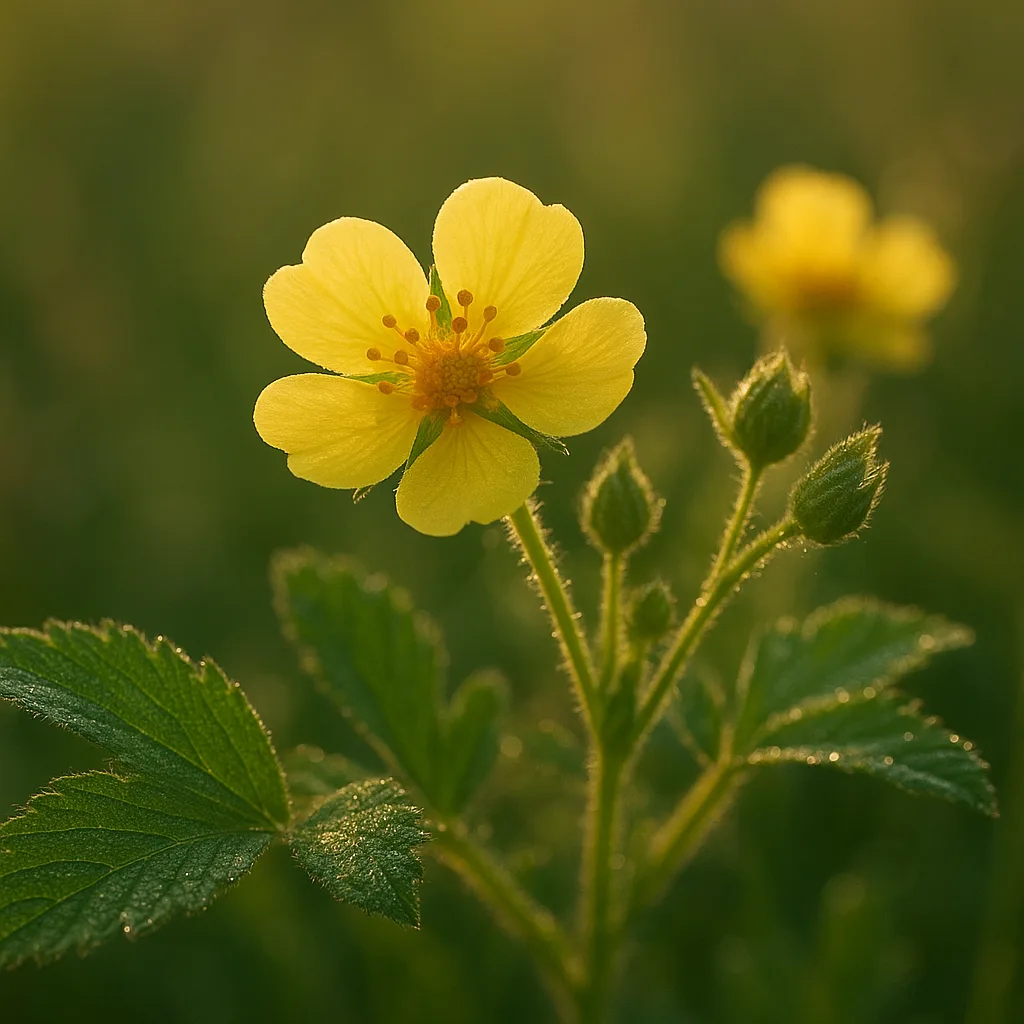
How Google Lens Identifies Flowers
Google Lens applies convolutional neural networks trained on millions of labeled images to recognize objects, including plants. It matches visual features — shape, color, texture, and context — and returns likely names, related images, and web links. That makes it fast and often useful, but also imperfect for species-level plant identification.
Strengths and limits
- Strength: immediate results from a single photo; useful for common garden plants and ornamentals.
- Limit: reduced accuracy for cryptic species, sterile specimens, or when only a single flower or leaf is visible.
- Limit: bias toward heavily photographed regions and cultivated taxa; rare or regional species may be misidentified.
What Google Lens typically uses
- Visual morphology: petal arrangement, symmetry, color patterns, leaf shape.
- Contextual cues: pot vs wild, nearby plants, human structures.
- Metadata if available: GPS location, time, and image orientation (if the app has permissions).
Practical Flower Identification Tips for Better AI Results
AI is only as good as the image it receives. Improve both human and machine identification by photographing a flower systematically. Below are field-tested tips a botanist would use.
Essential photos to take
- Whole plant: show habit, height (estimate in cm), and whether it is single-stemmed or a clump.
- Flower close-up: include a scale (coin or ruler) to show size in millimeters or centimeters.
- Leaves: both sides if possible; note arrangement (alternate, opposite, whorled).
- Fruit or seedheads: if present, photograph shapes and surface texture.
- Habitat shot: soil type, surrounding vegetation, moisture conditions.
Visual cues to record
- Flower diameter: e.g., 1–2 cm for Bellis perennis (common daisy) vs 10–20 cm for many lilies (Lilium spp.).
- Petal count and fusion: five free petals usually indicate Rosaceae or other families; composite heads (Asteraceae) are disk and ray florets.
- Symmetry: radial (actinomorphic) vs bilateral (zygomorphic). Orchids and peas show strong bilateral symmetry.
- Texture: shiny/glabrous petals vs velvety/pubescent surfaces; presence of glandular hairs can be diagnostic.
- Color patterning: nectar guides (contrasting lines), spots, stripes, or iridescence.
Botanical Features to Learn Quickly
Knowing a few diagnostic characters shortcuts identification and helps you judge an AI suggestion. Here are reliable, quick-to-assess traits that separate major plant groups.
For more on this topic, see our guide on How to Identify Flowers in the Field.
Key traits and examples
- Petal and sepal count: Rosaceae (e.g., Prunus spp.) typically 5 petals; Liliaceae (Lilium candidum) have 6 tepals arranged in two whorls.
- Leaf arrangement: opposite (e.g., Acer negundo saplings, Syringa vulgaris) vs alternate (many rosids); whorled leaves occur in Galium aparine.
- Inflorescence type: umbel in Apiaceae (Daucus carota), raceme in Brassicaceae (mustards), capitulum in Asteraceae (Taraxacum officinale).
- Fruit type: legume pods in Fabaceae, capsules in Papaveraceae, achenes in Asteraceae.
- Floral symmetry: zygomorphic flowers like Digitalis purpurea indicate Scrophulariaceae sensu lato or Plantaginaceae relations.
Google Lens vs Alternatives: Which to Use and When
You asked about "google lens alternative" and similar queries because users want more accurate, specialized plant IDs, offline capability, or additional ecological data. Below is a comparison of common tools and when they outperform Google Lens.
Apps similar to Google Lens and what they excel at
- Orvik: an AI-powered visual identification app designed to provide rapid plant IDs with contextual notes on habitat and toxicity. Orvik often offers clearer suggestions for wild flora because of curated plant datasets and feedback loops from botanists.
- iNaturalist: excellent for community-verified identifications and regional species lists; best when you want expert confirmation and location-based rarity data.
- PlantNet: strong at species-level IDs in many regions; great for learning flora because results include similar species and diagnostic features.
- PictureThis: user-friendly, commercial app with horticultural tips; tends to favor ornamental and garden species.
- Seek: by iNaturalist, kid-friendly, focuses on learning and badges but less detail than iNaturalist for experts.
When to choose which tool
- Common garden plants: Google Lens or PictureThis for speed.
- Wildflowers and botanically challenging species: iNaturalist or PlantNet for community verification.
- Offline or privacy-focused ID: Orvik, if it supports offline models, or local floras and field guides; always check app permissions.
- Professional or research use: combine AI suggestions with specimen collection or consultation with a botanist.
Google Lens for Coins and Other Objects
Searching for "google lens for coins" means users want to know whether Lens can identify coins as well as plants. Coin identification is a different problem: numismatics relies on minute details that can be obscured by wear, lighting, or scale.
Capabilities and limits for coins
- Google Lens can often identify modern, common coins (e.g., US quarters, Euro coins) when dates, mint marks, and portraits are visible.
- Lens struggles with worn surfaces, ancient coins, or privately minted tokens where reference images are scarce.
- For precise valuation and authentication, human experts, weight (in grams), diameter (mm), and metallurgical analysis are required.
Alternatives for coin identification
- Numista and Coinoscope: specialized apps/websites that match obverse/reverse imagery and database entries.
- Community forums: CoinTalk or r/coins for crowd-sourced expertise.
- Professional appraisal: required for grading and market valuation; uses measurements like diameter (e.g., 24.26 mm for a US quarter) and weight (5.67 g).
X vs Y: How to Tell Similar Flower Species Apart
Comparison is the single most useful skill for both AI-assisted and human identification. Below are three common confusion pairs with diagnostic differences you can check in the field.
You may also find our article on Deadly Blooms: A Field Guide to Toxic Flowers helpful.
Oxeye daisy (Leucanthemum vulgare) vs Shasta daisy (Leucanthemum × superbum)
- Flower diameter: Leucanthemum vulgare typically 25–40 mm; Shasta often 50–90 mm.
- Stem and leaf: Oxeye has more finely toothed basal leaves; Shasta displays larger, broader leaves and a sturdier stem.
- Cultivation: Shasta is almost always a cultivated cultivar, while oxeye is common in wild meadows.
Common foxglove (Digitalis purpurea) vs Penstemon species
- Flower shape: Digitalis has longer, tubular bell-shaped corollas with clear throat spotting and a fuzzy lower lip; Penstemon has a more open, two-lipped tubular flower.
- Leaf texture: Digitalis leaves are often soft and supremely downy (pubescent); Penstemon leaves are typically tougher and less hairy.
- Toxicity: Digitalis contains cardiac glycosides (highly toxic if ingested), while Penstemon is generally non-toxic to humans.
Aconite (Aconitum napellus) vs Monkshood lookalikes
- Flower helmet: Aconite has a characteristic galea or "hood" giving it the common name monkshood; no other common species has the same deep cobalt-blue hood with curved upper sepal.
- Leaves and habitat: Aconite often occurs in mesic mountain meadows at 500–2,500 m elevation in Europe and Asia; leaves are palmate with 5–7 lobes.
- Warning: all parts extremely toxic; handle with gloves and avoid ingestion or skin contact with cuts.
Safety, Toxicity, and Ethical Considerations
Identifying a flower is often harmless, but some plants pose real risks. Knowing when to stop and what not to touch is as important as getting a name.
Toxic plant warnings
- Aconitum spp. (monkshood): contains aconitine; even small amounts absorbed through skin can cause numbness, cardiac arrhythmia, or death.
- Nerium oleander: common ornamental shrub; all parts contain cardiac glycosides and can be fatal to humans and livestock.
- Digitalis purpurea: contains digitalis glycosides; toxic but historically used medicinally at precise doses.
- Ricinus communis (castor bean): seeds contain ricin; extremely toxic if chewed or ingested.
Ethics of photographing plants
- Do not collect endangered species or remove plant material without permits.
- When photographing on private land, obtain permission.
- Avoid trampling sensitive habitats to get a better shot; step back and use digital zoom or a macro lens instead.
Apps like Orvik can help by offering immediate context on toxicity and conservation status, reducing risky handling in the field.
Looking beyond this category? Check out Field Guide to Identifying Fossils.
Optimizing Photos and Workflow for Reliable IDs
Here are practical steps to maximize correct identifications whether you use Google Lens, Orvik, or community platforms.
Related reading: Identifying Acacia: Names, Species, and Field Tips.
Photo settings and technique
- Lighting: diffuse natural light is best; avoid direct harsh sun that washes out color or creates deep shadows.
- Scale: include a ruler or coin; many species are distinguished by millimeter differences.
- Focus: ensure the floral parts (stamens, pistil, corolla) are tack sharp; use a tripod or stabilizer if necessary.
- Angles: take 3–5 images from top, side, and underneath if possible to capture symmetry and throat markings.
Workflow for verification
- Snap the complete set of photos described earlier.
- Run a quick ID through Google Lens for instant suggestions.
- Confirm with Orvik or PlantNet for a second opinion, especially for wild or rare taxa.
- Upload to iNaturalist if you want community verification and range data; include the location and date.
Conclusion
"google lens flower" searches reflect a desire for fast, reliable plant identifications. Google Lens is a powerful first-pass tool, but combining it with specialist apps like Orvik, community resources like iNaturalist, and basic botanical observation will dramatically increase accuracy. Learn a few botanical traits — petal count, leaf arrangement, inflorescence type — and always photograph with scale and multiple angles. When in doubt, seek expert confirmation rather than handling unknown plants, especially when toxicity is possible.
Use AI tools as intelligent guides, not definitive authorities. In the field, a well-composed photograph plus a second opinion from Orvik or a community expert will usually give you the certainty you need.
Frequently Asked Questions
- Can Google Lens accurately identify any flower from a single photo?
- Google Lens often identifies common garden plants from a single clear photo, but it can struggle with rare, cryptic, or closely related species. Multiple photos showing leaves, habit, and flowers increase accuracy.
- What is a good alternative to Google Lens for plant identification?
- Orvik, PlantNet, and iNaturalist are strong alternatives. Orvik offers AI-powered IDs with contextual notes, PlantNet focuses on species-level recognition, and iNaturalist combines AI with community verification.
- Does Google Lens work well for coin identification?
- Google Lens can recognize common modern coins when details are visible, but it is not reliable for worn, ancient, or rare coins. Specialized tools like Numista or Coinoscope and expert appraisal are better for numismatic work.
- How can I improve identification accuracy with AI apps?
- Take multiple photos (whole plant, flower close-up, leaves, fruit), include a scale, use diffuse lighting, and provide location data. Cross-check results with another app or community resource.
- Are there safety concerns when identifying plants with AI?
- Yes. Do not ingest or handle unknown plants, especially if AI suggests toxic species. Some plants like Aconitum, Nerium oleander, and Ricinus communis are highly toxic and should not be touched without protection.
- How does Orvik differ from Google Lens?
- Orvik is designed specifically for visual identification with curated datasets and contextual information on habitat and toxicity. It tends to provide more botanically useful feedback and second-opinion verification than a general-purpose tool like Google Lens.
- Can I use these apps offline?
- Some apps offer offline models or downloadable regional packs, but features vary. Check app settings; Orvik and a few others may support offline identification to varying degrees.