
The name "leafsnap app" is synonymous with fast, photo-based tree identification. For casual hikers, botanists, and citizen scientists, understanding how Leafsnap and similar tools work—what they can and cannot identify, how to take useful photos, and when to rely on expert verification—makes the difference between a correct ID and a guess. This article explains Leafsnap's origins and capabilities, how to use it on iPhone and Android, field-ready visual cues (shape, margin, venation, size, texture), habitat and seasonal context, safety cautions, and how it compares to other plant-ID tools such as Orvik, iNaturalist, and Pl@ntNet.
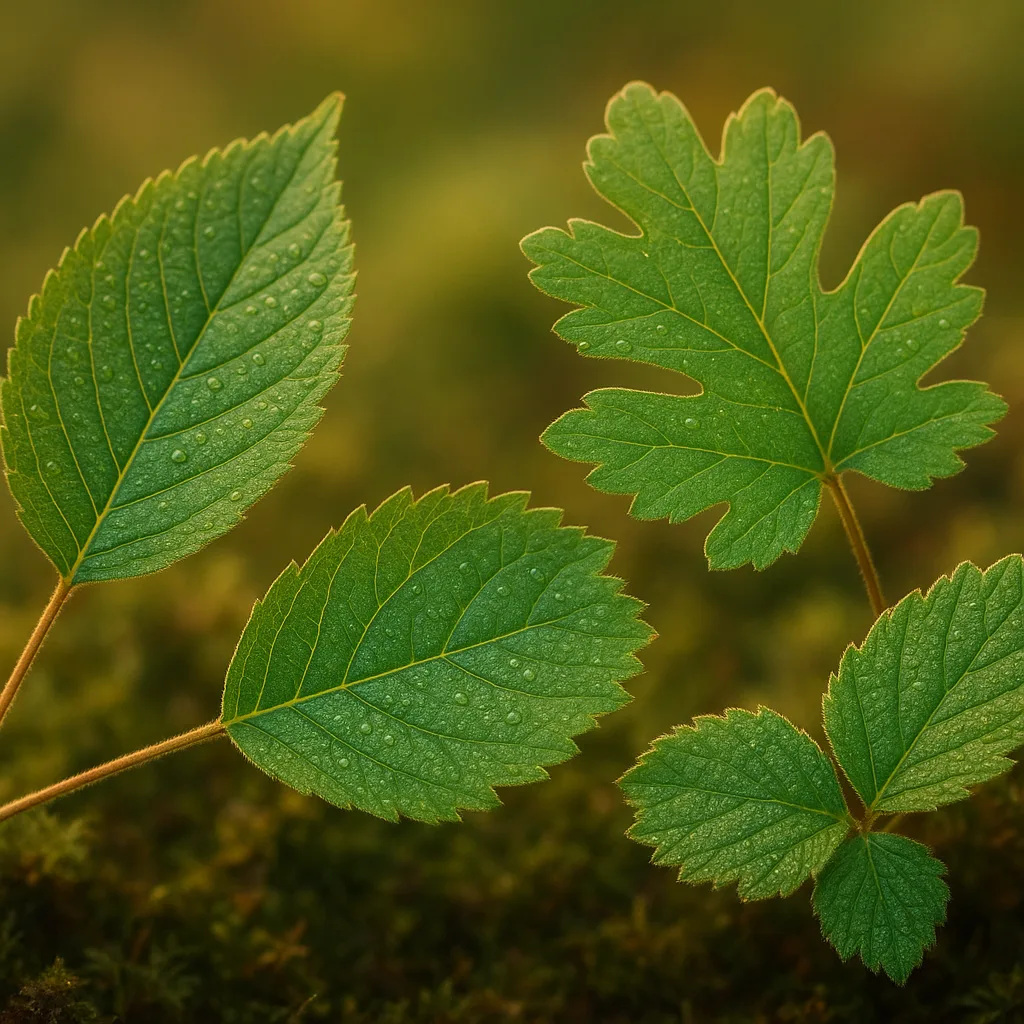
What is the Leafsnap app and how it works
Leafsnap is an image-recognition app originally developed by researchers at Columbia University, the University of Maryland, and the Smithsonian Institution. It uses computer vision to match a photographed leaf to a database of high-resolution images and metadata (botanical names, common names, range maps, and phenology). The process relies on pattern recognition of outline, venation, and texture; some versions also use user-supplied metadata like GPS and date to narrow results.
Key technical points
- Recognition method: feature extraction of leaf outline and venation patterns; modern systems combine convolutional neural networks with classical shape descriptors.
- Database scope: many versions focus on regional floras (e.g., Northeastern North America) and include both native and common introduced species.
- Metadata use: GPS coordinates and timestamp improve accuracy by excluding species outside the region or season.
Availability, cost, and platforms (iPhone & Android)
Many users search for "leafsnap free" or "leafsnap app free" because cost and platform availability are primary concerns. Historically, Leafsnap launched as a free iPhone app and was also made available for Android. Today, availability can vary by developer version and region.
Downloading and cost considerations
- Leafsnap app: often offered as a free download for basic identification; check the Apple App Store or Google Play for the current listing and in-app purchases.
- Search terms users enter: "leafsnap app iphone", "leafsnap free app for iphone", "leafsnap for iphone", and "leafsnap free app for android" often reflect the desire to find a free, easy-to-use field tool.
- Alternatives: some apps are entirely free (open-source or community-funded), while others offer a free tier with paid upgrades (species packs, offline maps).
Pro tip: before heading into remote areas, confirm whether the version you download supports offline use or whether you’ll need cellular data to send photos for identification.
For more on this topic, see our guide on Mastering Oak Leaves: Identify Trees in the Field.
Practical identification tips for photographing leaves
Good photos dramatically increase the chance of a correct ID. Leafsnap and other AI tools like Orvik rely on clear visual signals. Here are field-tested tips.
How to shoot usable leaf photos
- Light: use diffuse, even light—overcast days work best to avoid glare. Avoid direct midday sun that produces deep shadows or washed highlights.
- Background: place leaves against a neutral, contrasting background (e.g., white paper, matte gray rock) if you can. If not, ensure the leaf fills at least 50% of the frame.
- Focus and distance: get within 10–30 cm depending on leaf size; ensure the midrib and venation are sharply in focus. Use macro mode on phones when available.
- Multiple views: take a top view (adaxial surface), a bottom view (abaxial surface) showing hairs or glands, the petiole, and the shoot (arrangement on stem). Include a scale object—coin or a 30 cm rule.
- Seasonal context: photograph fruit, flowers, buds, bark, and overall tree habit if possible—these characters are critical for similar-looking species.
- Image checklist: leaf outline, margin detail, venation pattern, surface texture, petiole length, leaf arrangement (alternate, opposite, whorled), and any distinctive glands or teeth.
Visual cues and botanical features to learn
Understanding a few botanical terms and what to look for helps you interpret app suggestions and verify IDs like a field botanist.
Essential leaf features with measurable cues
- Leaf type: simple vs compound (compound leaves have multiple leaflets arranged pinnately or palmately; e.g., Fraxinus excelsior has pinnate leaves).
- Size: measure length and width—maples (Acer) often have leaves 5–20 cm across, while birch (Betula) leaves are usually 3–7 cm long.
- Shape: ovate, lanceolate, cordate (heart-shaped), orbicular—note overall outline more than small serrations.
- Margin: entire, serrate (saw-toothed), dentate, crenate, lobed—oak (Quercus) often shows lobed margins, while willow (Salix) has long, finely serrate margins.
- Venation: pinnate (one midrib with branching veins), palmate (several main veins from a point), palinactinate—look for vein angle and prominence.
- Surface texture: glossy, pubescent (hairy), glaucous (waxy bloom), rough—undersides may have stomatal tufts or hairs useful for identification.
- Attachment & arrangement: petiole length and whether leaves are alternate, opposite, or whorled along the stem.
Common species and field markers (examples)
Below are practical diagnostic cues for frequently encountered trees and plants. These are presented with scientific names and crisp visual markers you can use with Leafsnap or Orvik.
You may also find our article on How to Identify Maple Leaves in the Field helpful.
North temperate examples
- Sugar maple (Acer saccharum): opposite leaves, 7–15 cm, 5 lobes with smooth sinuses; autumn orange–red. Bark: tight, gray-brown plates on mature trees.
- Red oak (Quercus rubra): alternate, simple leaves 12–22 cm, 7–11 pointed lobes with bristle tips; underside paler. Acorns maturing in 2 years.
- American birch (Betula papyrifera): alternate, triangular-ovate leaves 4–7 cm, doubly serrate margin, white papery bark that peels in sheets.
- Black willow (Salix nigra): alternate, narrowly lanceolate leaves 6–12 cm, finely serrate margins, flexible stems—found along streams and wetlands.
- Poison ivy (Toxicodendron radicans): compound leaves of three leaflets, variable shapes (ovate to lobed), shiny surface—causes contact dermatitis in many people; avoid touching bare skin.
Tropical and subtropical examples
- Live oak (Quercus virginiana): evergreen, leathery leaves 5–12 cm, entire or toothed margins, glossy dark green above, often with oyster- to silvery hair beneath.
- Southern magnolia (Magnolia grandiflora): large evergreen leaves 12–20 cm, glossy adaxial surface, rusty-brown pubescent abaxial surface; strong, fragrant flowers in summer.
Leafsnap vs other ID tools: how to choose
When users search for the leafsnap app they often intend to compare it with alternatives. Below is a practical comparison of Leafsnap, Orvik, iNaturalist, and Pl@ntNet for different use cases.
Side-by-side considerations
- Leafsnap: strength in leaf image matching and historical database of Northeast U.S. trees; simple UI for quick leaf-only IDs.
- Orvik: an AI-powered visual identification app that often supports multi-object recognition (leaves, flowers, bark, fruits) and provides probabilistic species lists; integrates expert feedback loops that can refine models over time.
- iNaturalist: community-driven ID with expert vetting; best for ecological context (observations contribute to biodiversity databases) but may be slower to return a community-backed ID.
- Pl@ntNet: excels at recognizing plants from multiple organs and has strong coverage in many regions; contributions help improve regional models.
- Use Leafsnap when: you have clear leaf photos and want quick, automated matches for common tree species.
- Use Orvik when: you want an AI that leverages multiple cues (bark, leaf, flower) and integrates confidence scoring—helpful on ambiguous cases.
- Use iNaturalist when: you want community confirmation, distribution checks, and to contribute to science-grade records.
In practice, trying two tools—Leafsnap and Orvik or Pl@ntNet plus a community app like iNaturalist—gives the best balance of speed and accuracy.
Field workflow: get the best ID in three steps
Turn raw observations into reliable identifications by following a simple workflow that combines good photography, AI tools, and validation.
You might also be interested in Goji Berries: A Field Guide to the Red Superfruit.
Three-step field workflow
- Document: collect multiple high-quality images (leaf top/bottom, petiole, twig, bark, fruit/flower). Record GPS, date, and habitat (e.g., wetland, upland deciduous, urban street).
- Automate: run photos through Leafsnap or Orvik for a ranked list of candidate species. Note confidence scores and morphological features the app highlights.
- Validate: cross-check with local floras, range maps, or community IDs (iNaturalist). If uncertain, consult a regional field guide or herbarium specimen database.
- Tip: when apps disagree, prioritize characters that don’t change seasonally (leaf venation, attachment) and get a second opinion from an expert.
Safety, toxicity, and ethical foraging notes
Identification apps reduce uncertainty but are not infallible. Some plants are toxic or cause allergic reactions; always exercise caution.
Related reading: Naming Leaves: A Field Guide.
Safety checklist
- Contact dermatitis: species in the genus Toxicodendron (poison ivy, poison oak, poison sumac) cause urushiol-induced dermatitis. Avoid skin contact; wash clothing and tools after exposure.
- Food safety: never consume wild plants based solely on an app ID. Even edible-looking species can have toxic look-alikes (e.g., edible Allium vs. toxic Veratrum). Seek an expert confirmation before foraging.
- Children and pets: keep children and pets away from unknown plants—some garden ornamentals like Nerium oleander contain potent cardiac glycosides; a single leaf can be dangerous.
- Protected species: in parks and reserves, do not remove plant material or collect specimens without permission—many rare plants are protected by law.
When using Leafsnap, Orvik, or any app as a decision aid, use human judgment and local expertise for anything involving health or legal concerns.
Conclusion
People searching for "leafsnap app" are usually trying to find an easy, free way to identify leaves on their phone—especially for iPhone or Android. Leafsnap remains a useful, historically important tool for leaf-based ID, and newer AI apps like Orvik expand on this by combining multiple plant organs, contextual data, and machine learning confidence scores. For reliable results, take clear photos (top and bottom of leaves, petiole, bark), capture habitat and seasonal notes, and validate the app’s suggestions against local floras or community platforms. When foraging or dealing with potentially toxic plants, always seek expert verification before touching or ingesting anything.
Frequently Asked Questions
- Is the Leafsnap app free?
- Leafsnap was originally released as a free app and many versions offer a free basic tier; availability and pricing can vary by platform and region—check the Apple App Store or Google Play for current details.
- Can I use Leafsnap on my iPhone or Android?
- Yes—Leafsnap has been available for iPhone and Android in different releases. Search "leafsnap app iphone" or "leafsnap free app for android" in the relevant store to find the latest version.
- How accurate is Leafsnap compared with Orvik or iNaturalist?
- Leafsnap is strong at leaf-image matching for supported species; Orvik often uses multi-organ AI and probabilistic scoring, while iNaturalist relies on community vetting—using two tools together increases accuracy.
- What pictures give Leafsnap the best chance to identify a leaf?
- Take multiple sharp photos: top and bottom of the leaf, the petiole and attachment, a close-up of venation and margin, and a photo of the whole branch or tree; include a scale and use diffuse lighting.
- Can I trust app IDs for edible plants?
- No—do not consume wild plants based solely on an app ID. Many edible species have toxic look-alikes; always confirm with an expert before eating any wild plant.
- Does Leafsnap work offline?
- Offline capability depends on the app version. Some releases offer offline species packs or cached databases; verify in the app settings before heading into areas without cell service.
- How should I proceed if two apps give different species suggestions?
- Compare the suggested species against diagnostic features (venation, margin, leaf arrangement) and range/seasonality. If still uncertain, upload to a community platform like iNaturalist or consult a local botanist.